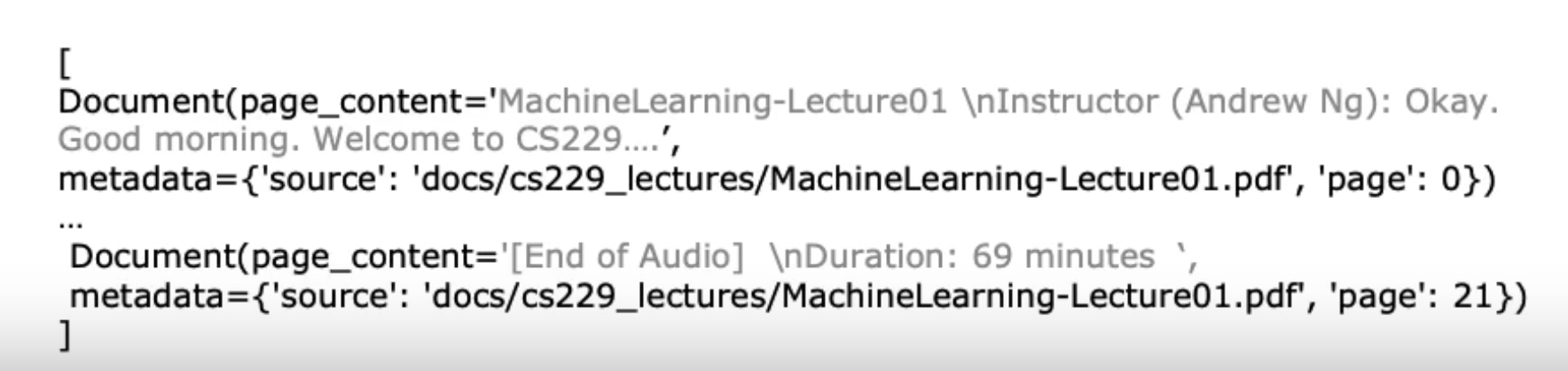
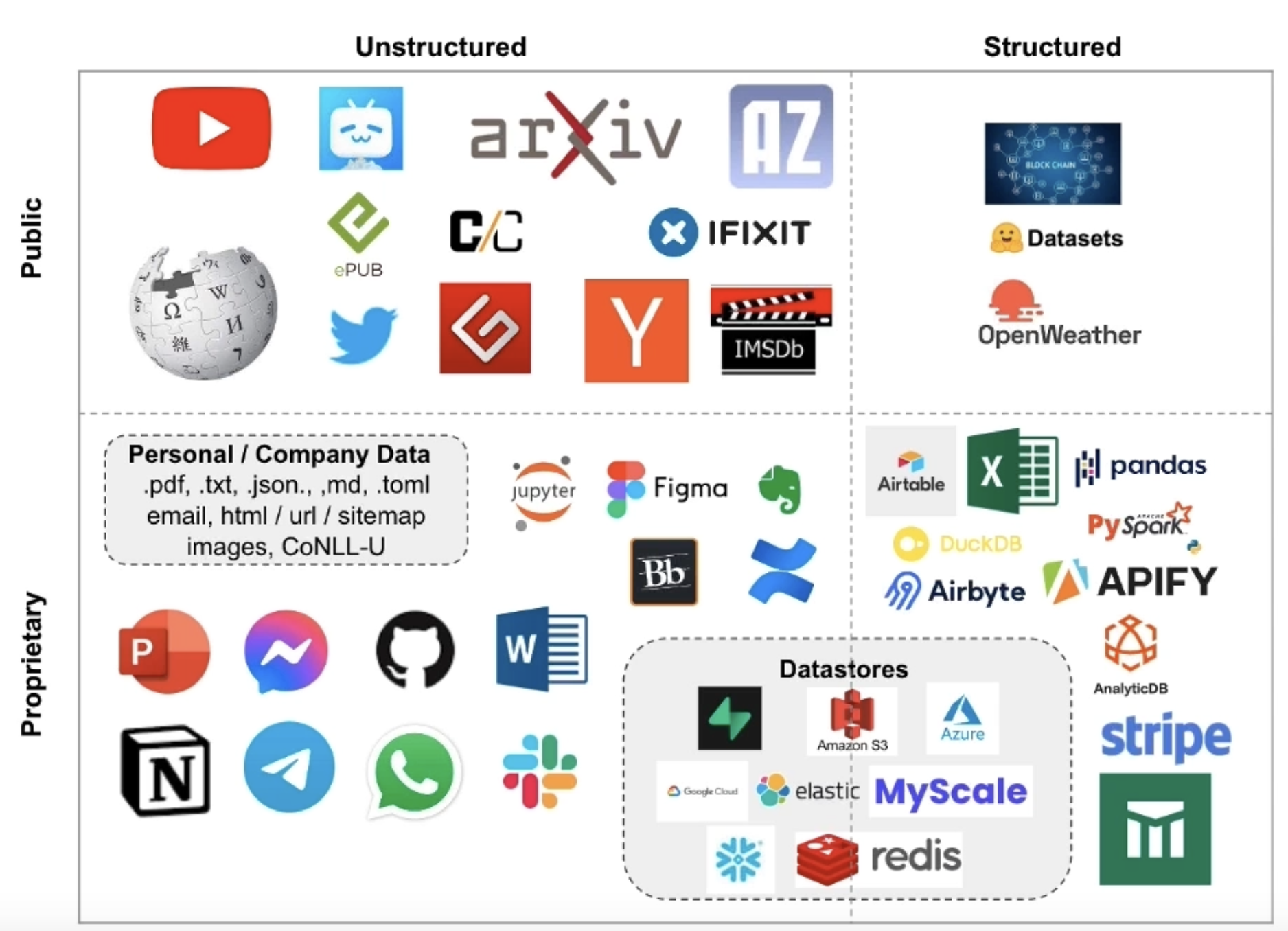
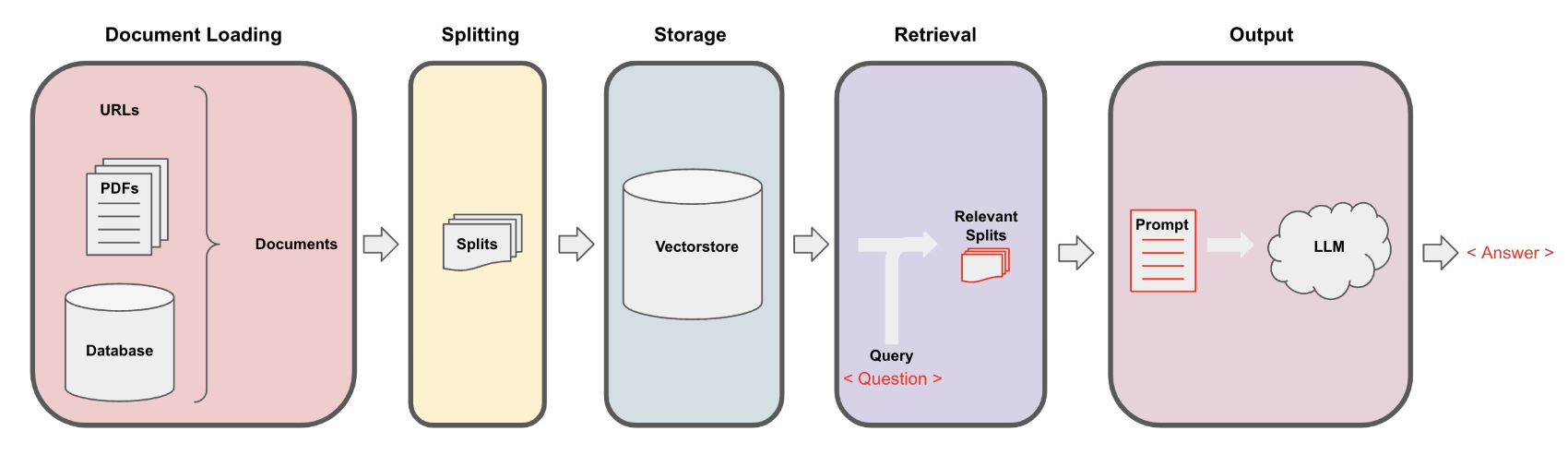
2. Document LoadingSee the codes,Download the Jupyter Notebook• There are over 80 document loaders (as of July 2023) in Langchain.• Document loaders deal with the specifics of accessing and converting data.– Accessing:* Websites* Databases* YouTube* arXiv* ...– Data Types* PDF* HTML* JSON* Word* Powerpoint* ...• Returns a list of Document objects.
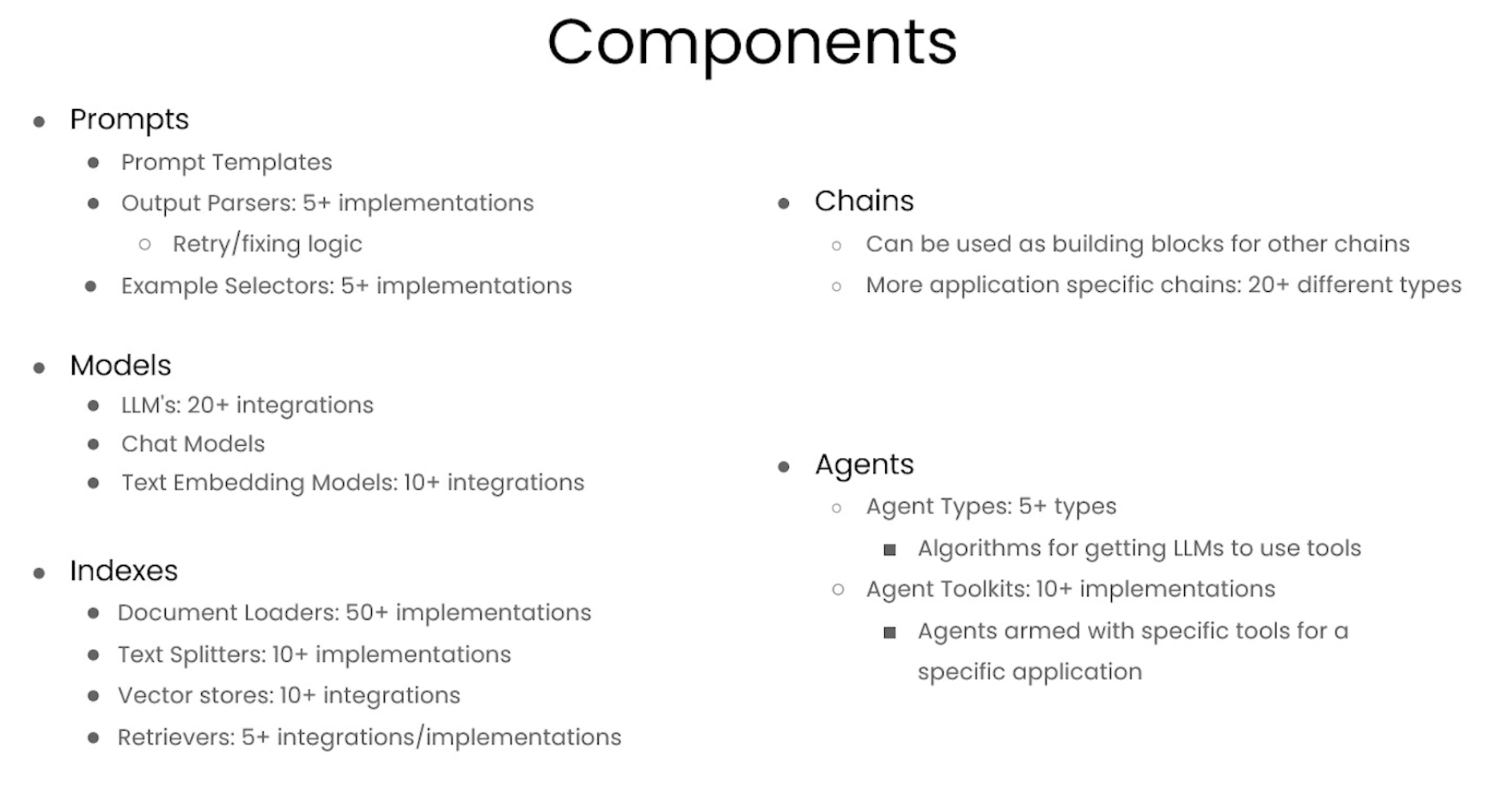
• Different types of document loaders in Langchain
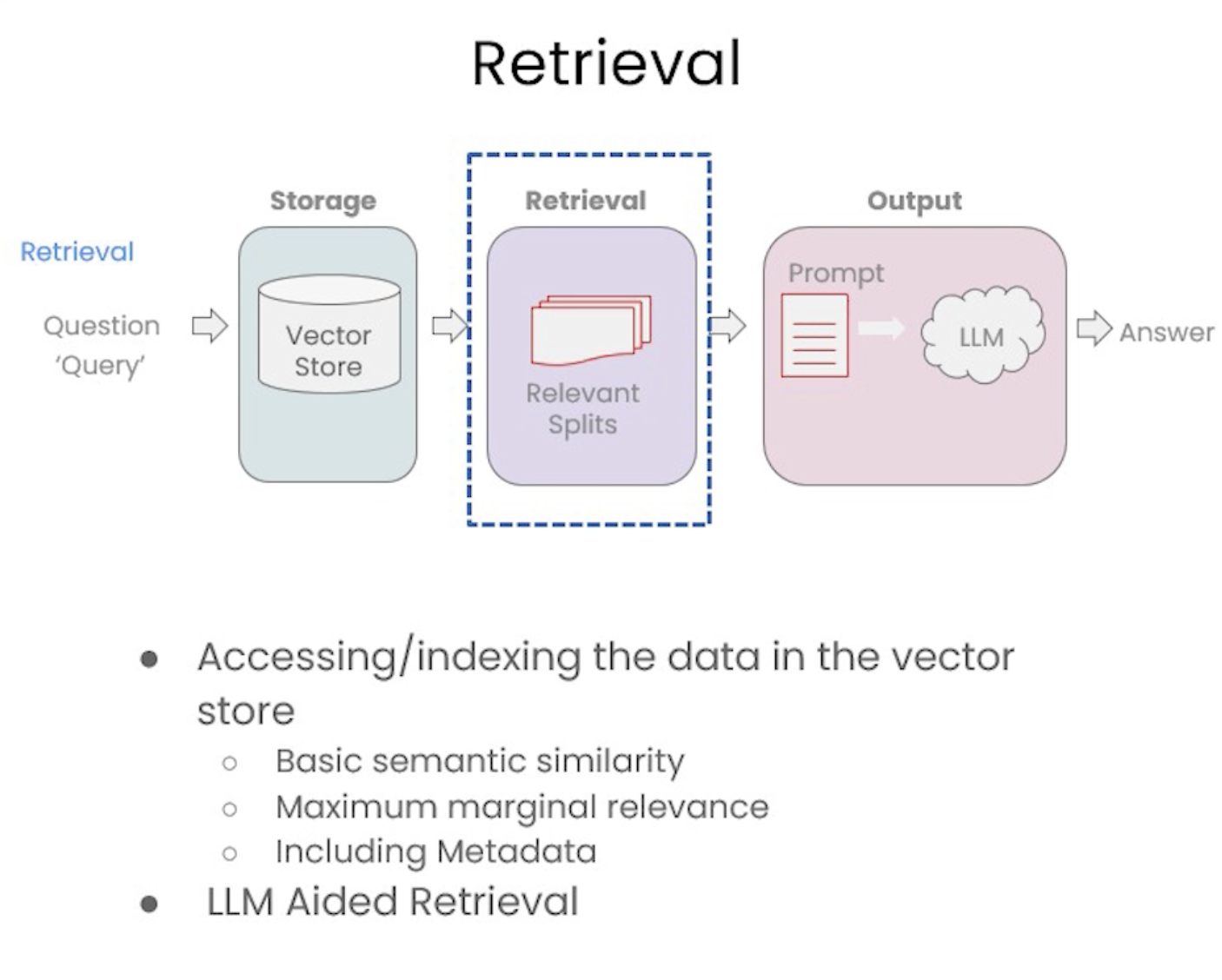
2.1. Retrieval augmented generation• In retrieval augmented generation (RAG), an LLM retrieves contextual documents from an external dataset as part of its execution → In other words, RAG refers to just retrieving the relevant parts of the documents in respond to a query.• This is useful if we want to ask question about specific documents (e.g., our PDFs, a set of videos, etc).
2.2. General Syntax for Document Loaders• As mentioned above, there are many loaders available in Langchain. However, the general syntax only includes importing the specific loader type from the langchain.document_loaders and then just call the .load() method.•
from langchain.document_loaders import PyPDFLoaderloader = PyPDFLoader("docs/cs229_lectures/MachineLearning-Lecture01.pdf")pages = loader.load()
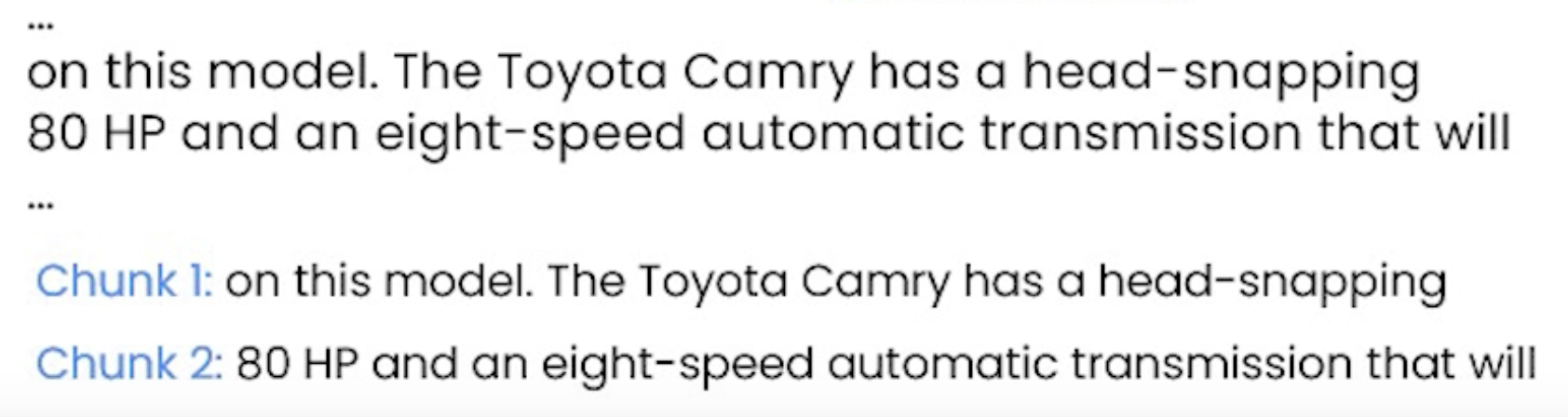
3. Document SplittingSee the codes,Download the Jupyter Notebook• Document Splitting happens after you load your documents and before they go to the vector store.• This step is about splitting the document into smaller chunks while maintaining the meaningful relationship between them.• Look at the example below:
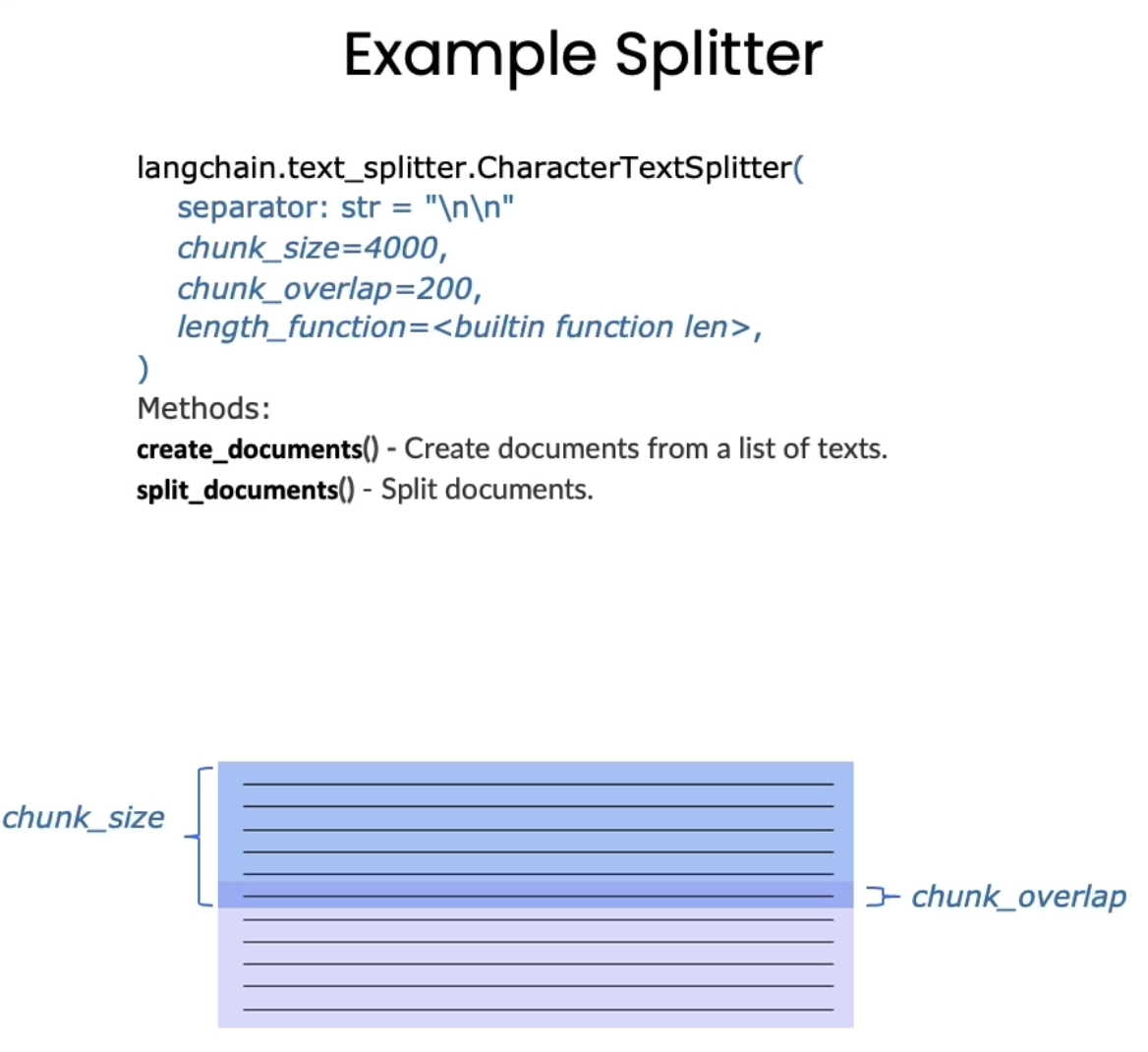
• Question: What are the specifications of the Camry?– If we just use a simple splitting, we could end up with something like the example above where part of the sentence is in one chunk and the other part in another chunk → So, the information to answer this question doesn't exist in either of the chunk and it's split between them.– Ideally, you want to get semantically-relevant chunks together.• To address this issue, Langchain introduces chunk overlap. – Chunk overlap is like a sliding window.
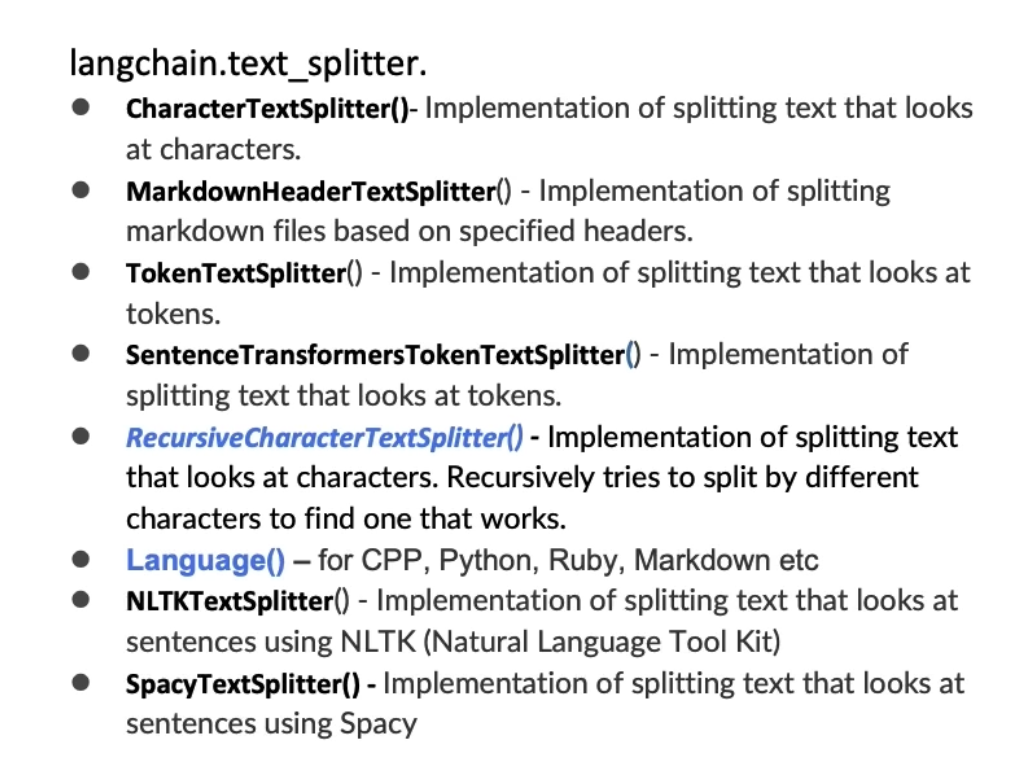
3.1. Types of Splitters
• RecursiveCharacterTextSplitter is recommended for generic text.– In this method, you can define a list of split characters and it will try to split the text by them recursively. See the notebook for examples.• CharacterTextSplitter splits the text by newline (\n) character.• There are generally two ways to use splitters:– Split texts directly → split_text()– Split documents (from document loader) → split_documents()•
#### Splitting texts directlysome_text ="""When writing documents, writers will use document structure to group content. \This can convey to the reader, which idea's are related. For example, closely related ideas \are in sentances. Similar ideas are in paragraphs. Paragraphs form a document. \n\n \Paragraphs are often delimited with a carriage return or two carriage returns. \Carriage returns are the "backslash n" you see embedded in this string. \Sentences have a period at the end, but also, have a space.\and words are separated by space."""from langchain.text_splitter import RecursiveCharacterTextSplitter, CharacterTextSplitterchunk_overlap =4c_splitter = CharacterTextSplitter( chunk_size=450, chunk_overlap=0, separator =' ')r_splitter = RecursiveCharacterTextSplitter( chunk_size=450, chunk_overlap=0, separators=["\n\n","\n"," ",""])c_splitter.split_text(some_text)r_splitter.split_text(some_text)#### Splitting documentsfrom langchain.document_loaders import PyPDFLoaderloader = PyPDFLoader("docs/cs229_lectures/MachineLearning-Lecture01.pdf")pages = loader.load()from langchain.text_splitter import CharacterTextSplittertext_splitter = CharacterTextSplitter( separator="\n", chunk_size=1000, chunk_overlap=150, length_function=len)docs = text_splitter.split_documents(pages)
• Also, there are mainly two basis to split on:➔ Split by characters➔ Split by tokens • Splitting by tokens could be useful as often LLMs use tokens to define the size of their context window.• Tokens are often ~ 4 characters.3.2. Context aware splitting• Chunking aims to keep text with common context together.• A text splitting often uses sentences or other delimiters to keep related text together but many documents (such as Markdown) have structure (headers) that can be explicitly used in splitting.• The general idea is keep richer metadata of the chunks on how they relate to each other. This is specially useful in question answering applications.• • We can use MarkdownHeaderTextSplitter to preserve header metadata in our chunks. See the codes for an example.
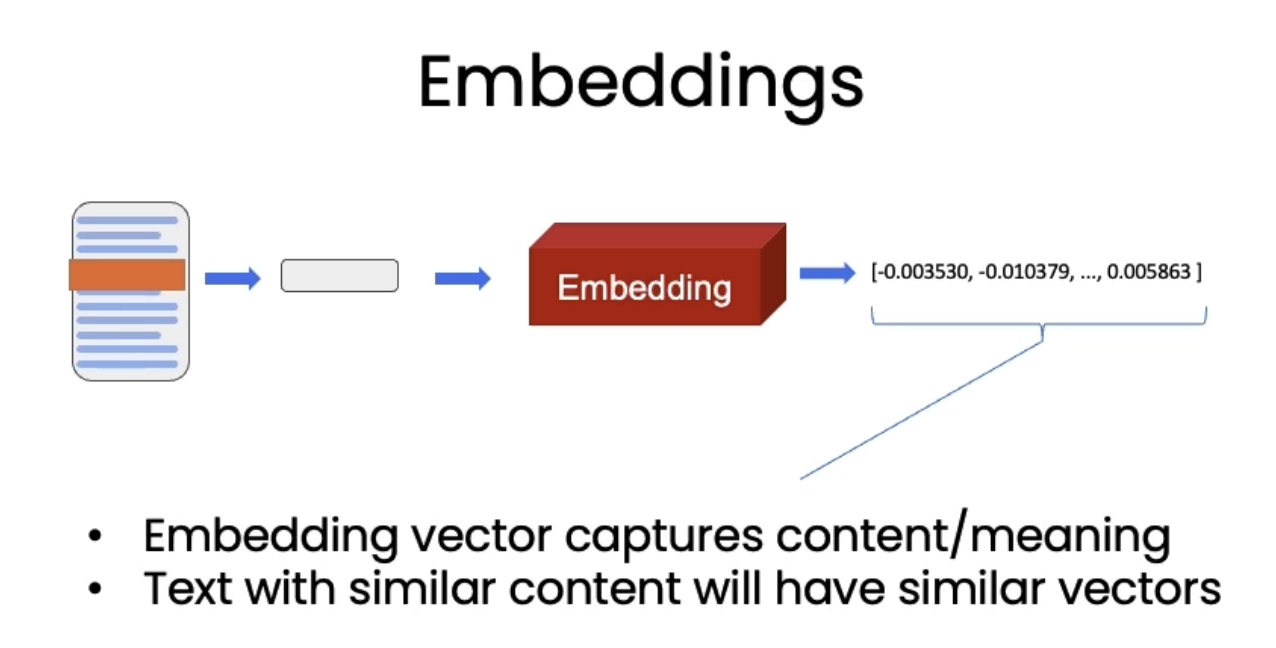
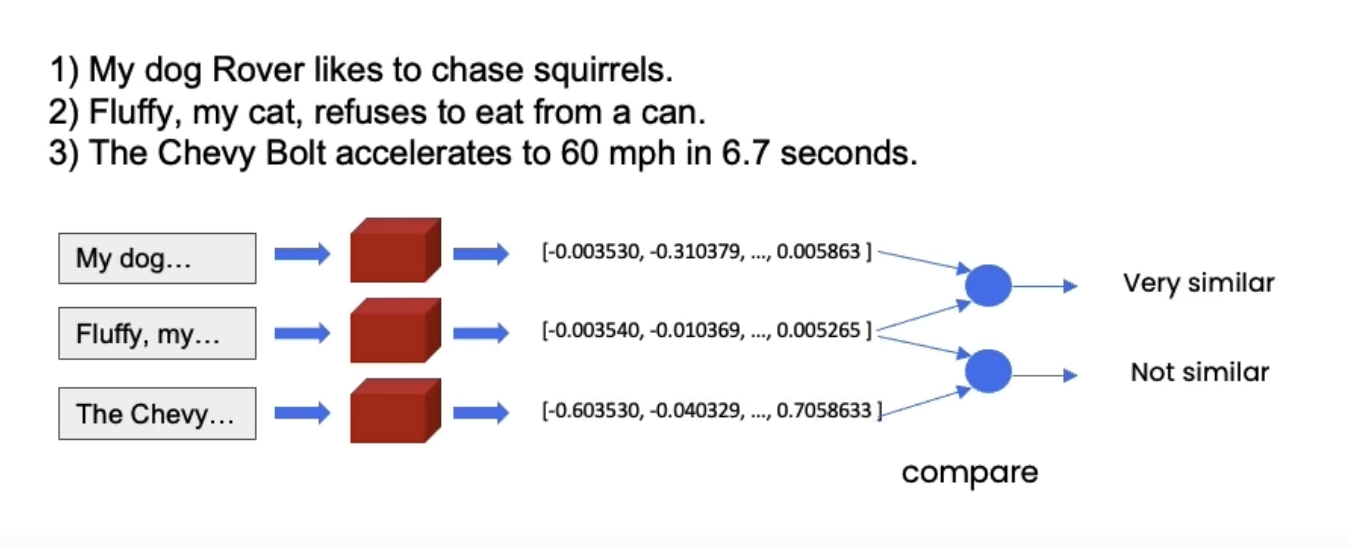
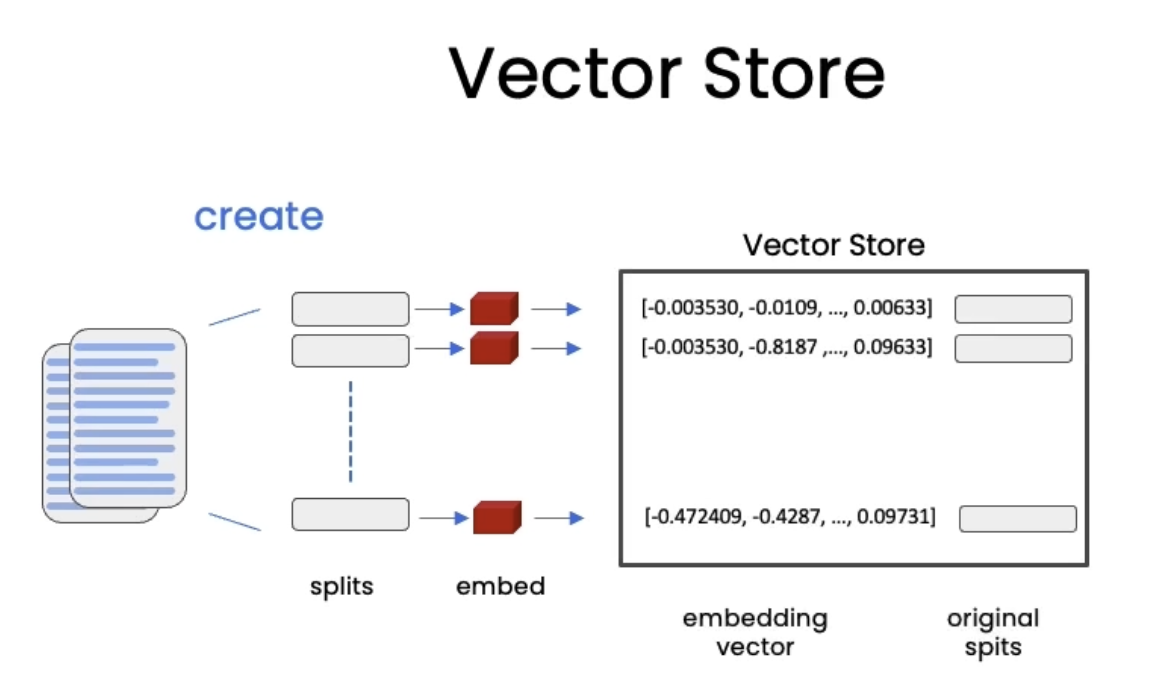
4. Vector Stores and EmbeddingsSee the codes,Download the Jupyter Notebook• Once we split the documents, it's time to index them so that we can retrieve them easily to answer questions about this corpus of data.• Embeddings help us find similar pieces of text.
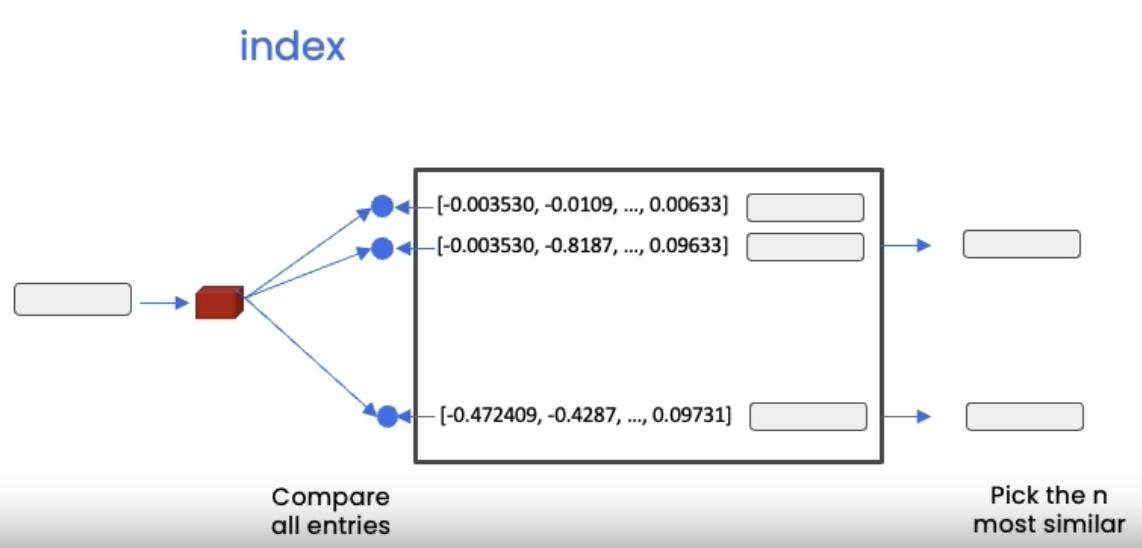
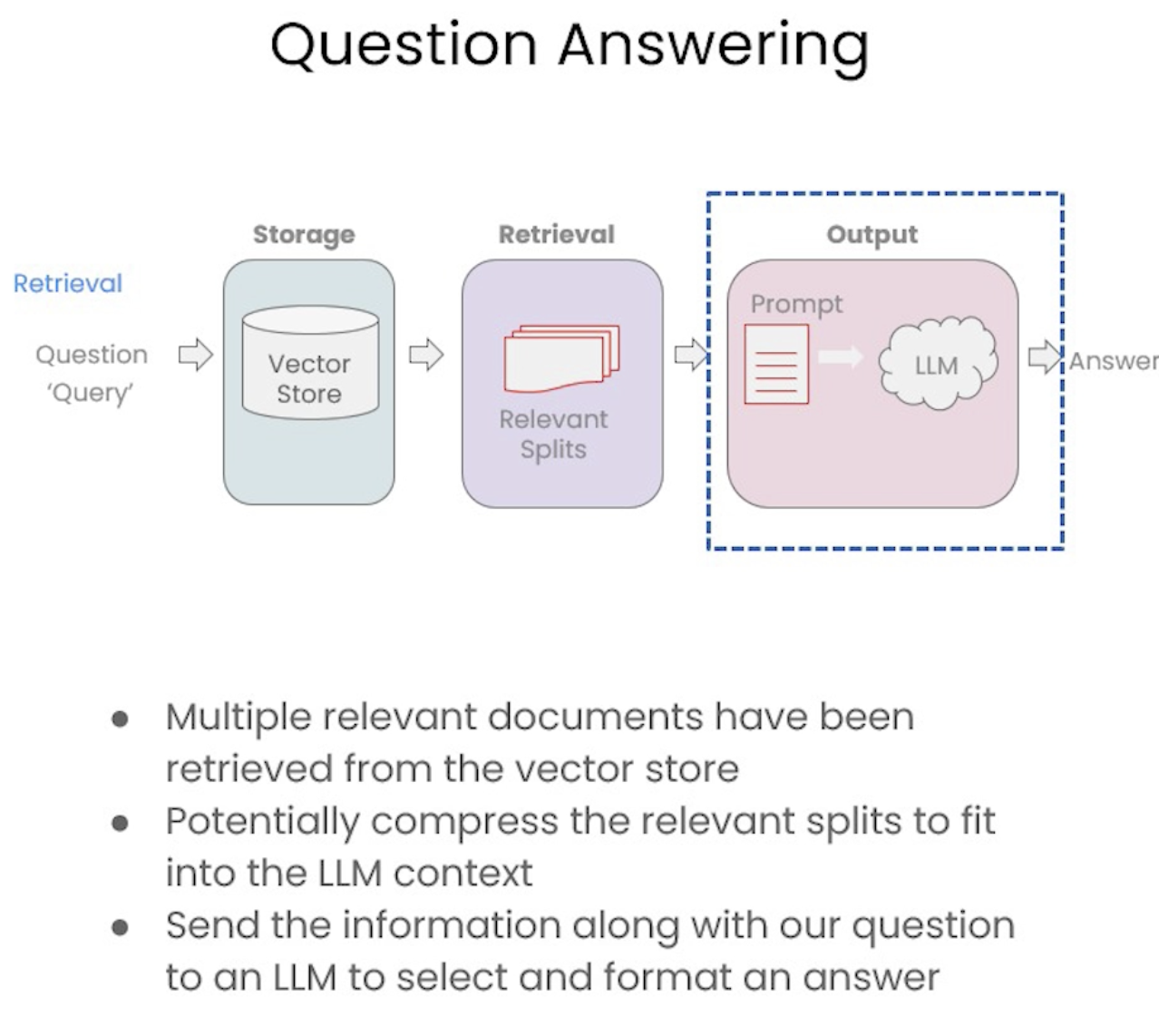
• A vector store is a database where you can easily look up similar vectors later on.– It becomes useful when we're trying to find documents that are relevant for the question at hand.* We take the question at hand → create an embedding → do comparisons to all of different vectors in the vector store → pick the n most similar ones → take those n most similar chunks and pass them along with the question into an LLM and get back an answer.
4.1. Vector Store Edge Cases• If we store duplicate documents, we could get duplicate responses to our queries (see the example code).• Sometimes when we provide some structured queries, it can pick up more (put more emphasis) on some part of the query than the others.– For example → in this question: "what did they say about regression in the third lecture?" → Although we specified the "third lecture" in our question, but we can response from other lectures because semantic vector of the question puts more emphasis on the "regression" part.• We address these edge cases (failures) in the next section, Retrieval.
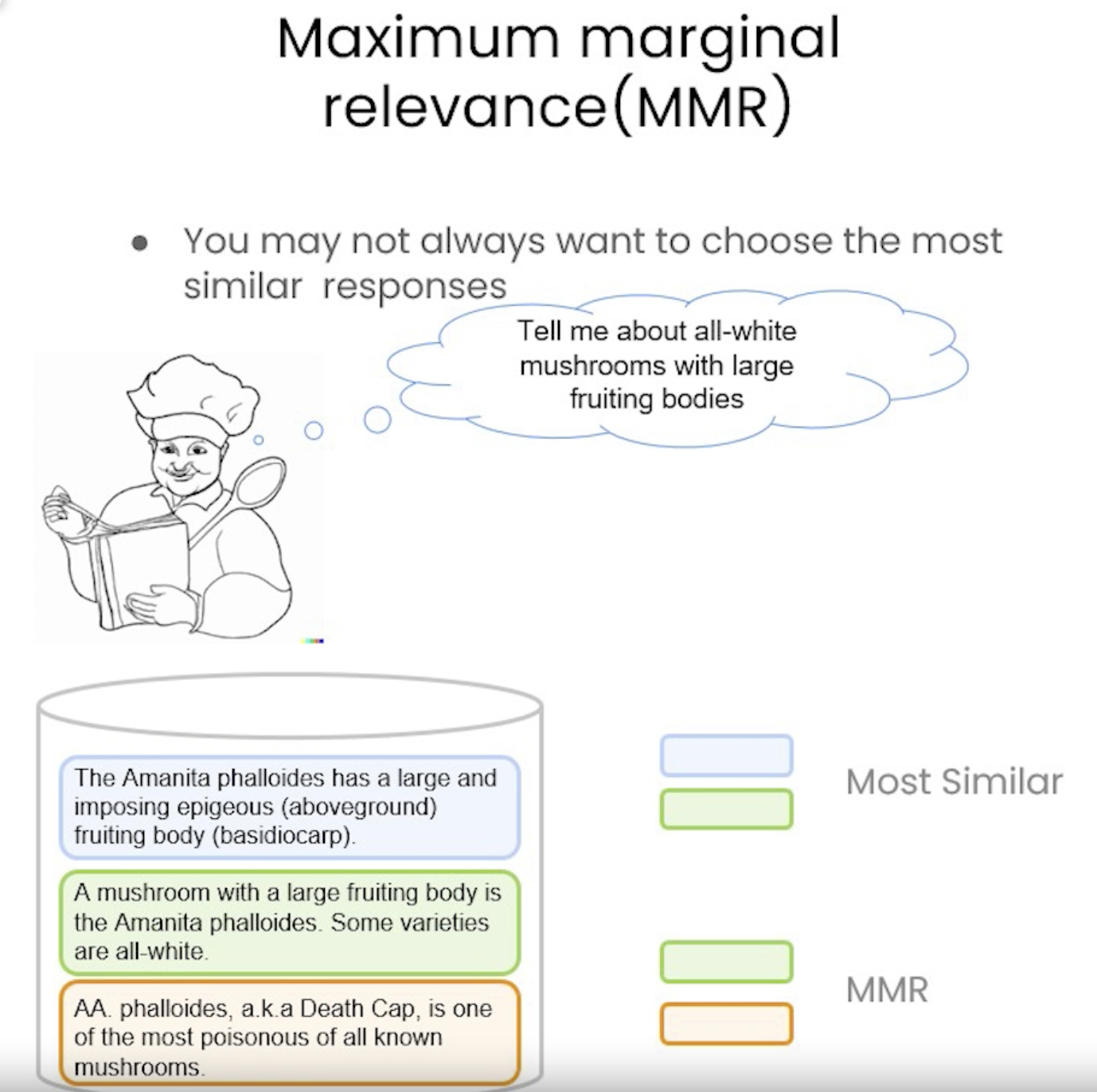
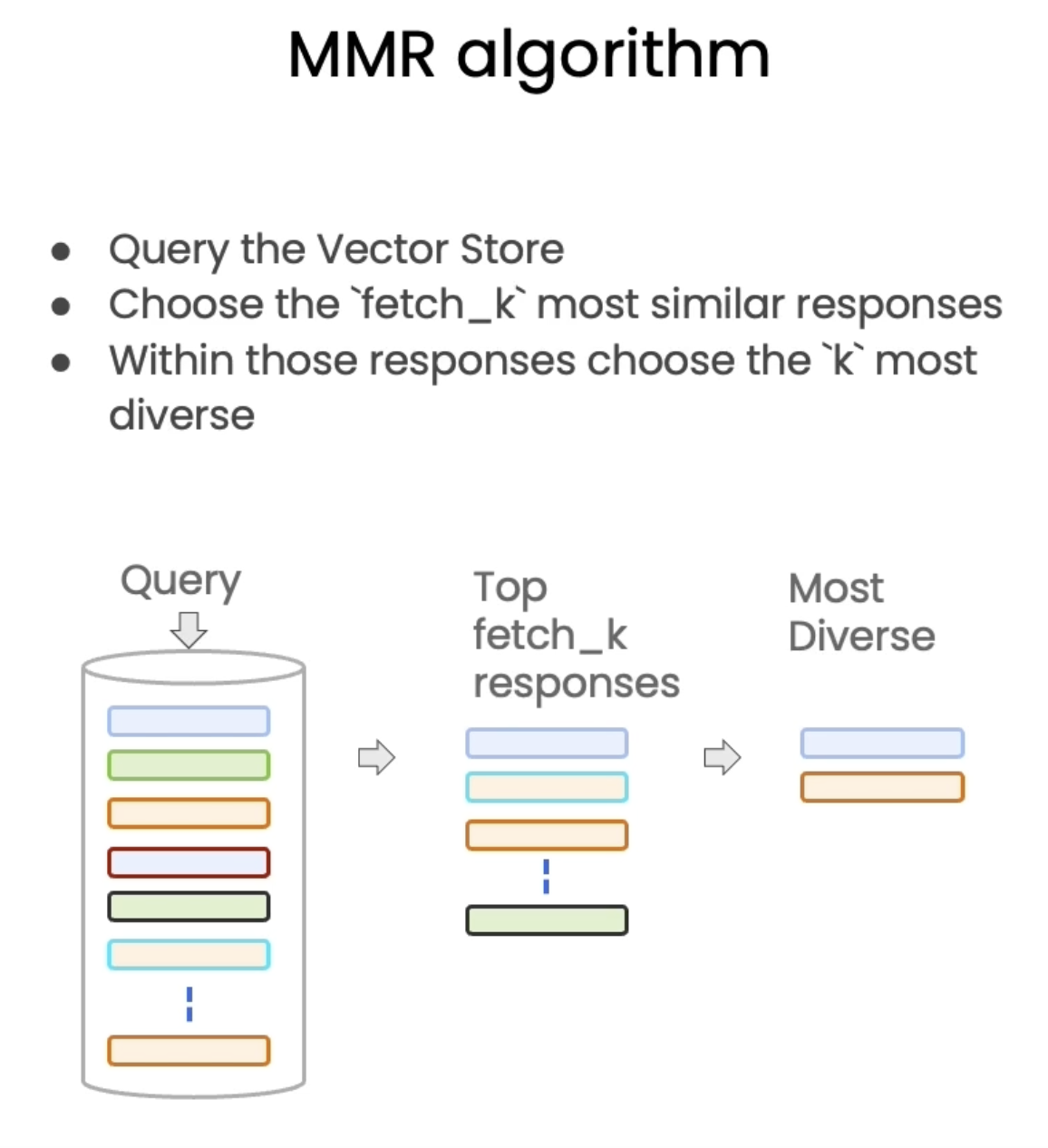
5.1. Addressing Diversity: Maximum Marginal Relevance (MMR)• You may always want to choose the most similar responses → this way, you may miss on diverse information.• Problem: how to enforce diversity in the search results?– Maximum marginal relevance strives to achieve both relevance to the query and diversity among the results.
5.2. Addressing Specificity: working with metadata• In the last section, we showed that a question about the third lecture can include results from other lectures as well.• To address this, many vectorstores support operations on metadata.• metadataprovides context for each embedded chunk.•
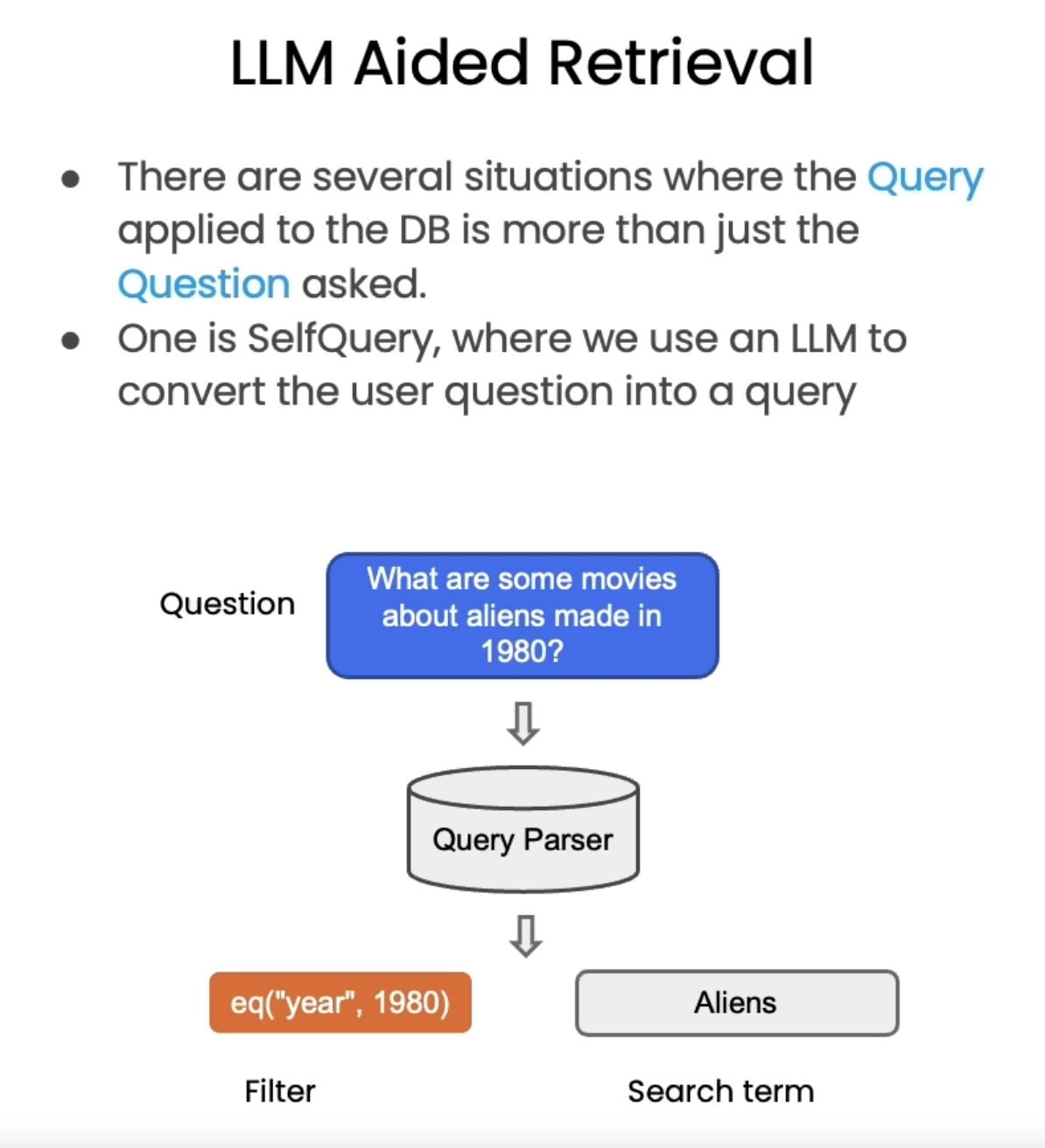
5.2.1. LLM-Aided Retrieval• Useful when there exists some sort of metadata in the query that you want to do a filter on.• We have an interesting challenge: we often want to infer the metadata from the query itself.• To address this, we can use SelfQueryRetriever, which uses an LLM to extract:– The query string to use for vector search– A metadata filter to pass in as well– • Most vector databases support metadata filters, so this doesn't require any new databases or indexes.
•
from langchain.llms import OpenAIfrom langchain.retrievers.self_query.base import SelfQueryRetrieverfrom langchain.chains.query_constructor.base import AttributeInfometadata_field_info =[ AttributeInfo( name="source", description="The lecture the chunk is from, should be one of `docs/cs229_lectures/MachineLearning-Lecture01.pdf`, `docs/cs229_lectures/MachineLearning-Lecture02.pdf`, or `docs/cs229_lectures/MachineLearning-Lecture03.pdf`",type="string",), AttributeInfo( name="page", description="The page from the lecture",type="integer",),]document_content_description ="Lecture notes"llm = OpenAI(temperature=0)retriever = SelfQueryRetriever.from_llm( llm, vectordb, document_content_description, metadata_field_info, verbose=True)question ="what did they say about regression in the third lecture?"docs = retriever.get_relevant_documents(question)for d in docs:print(d.metadata)
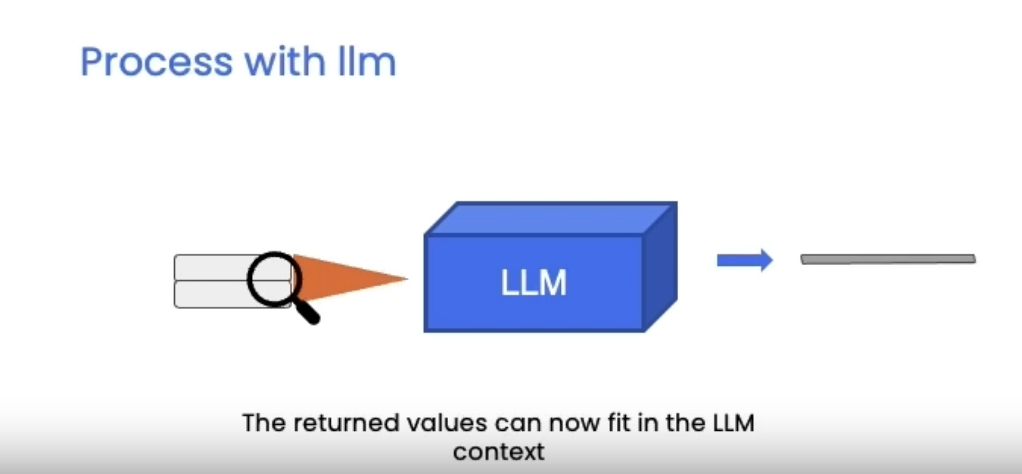
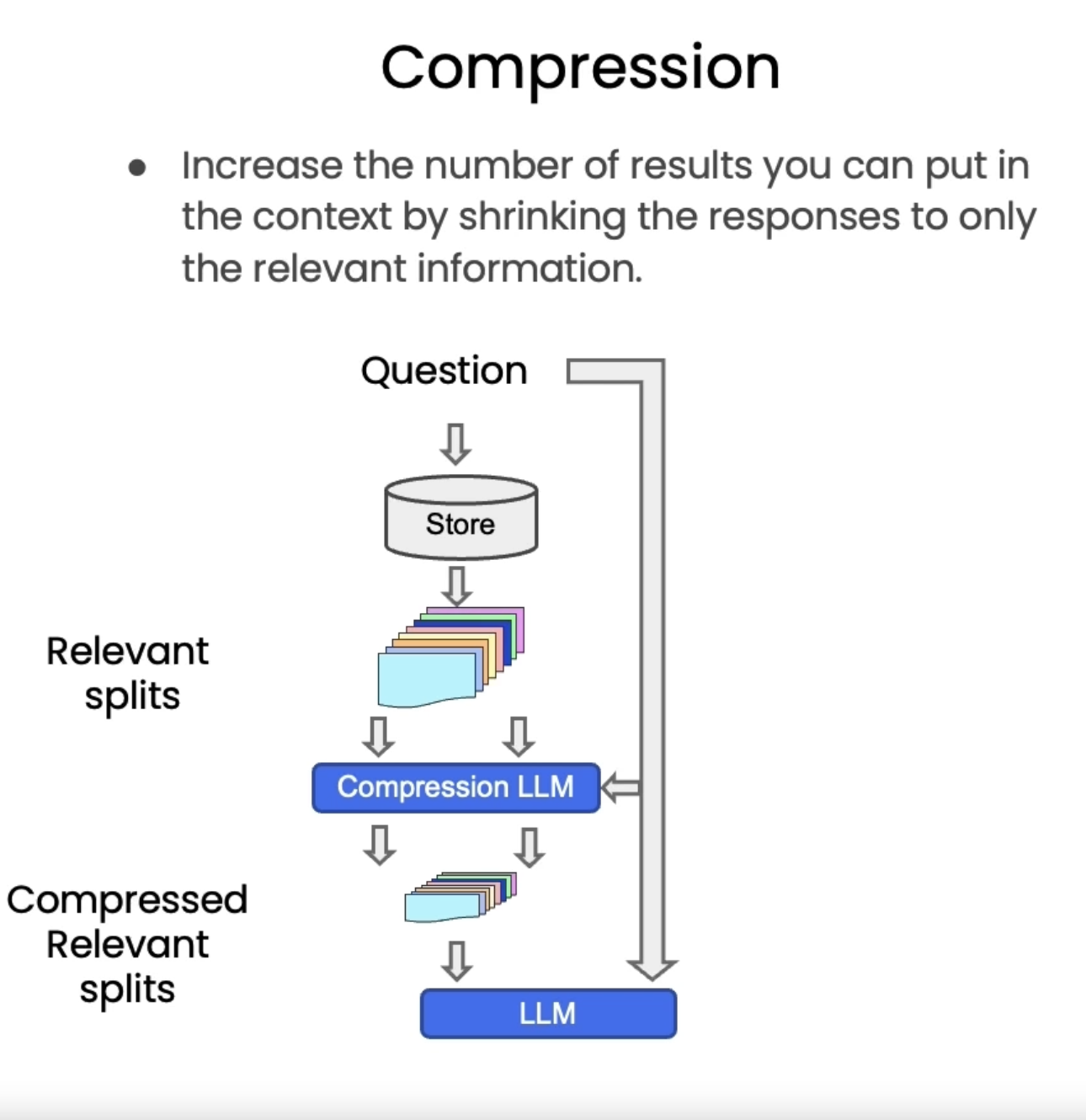
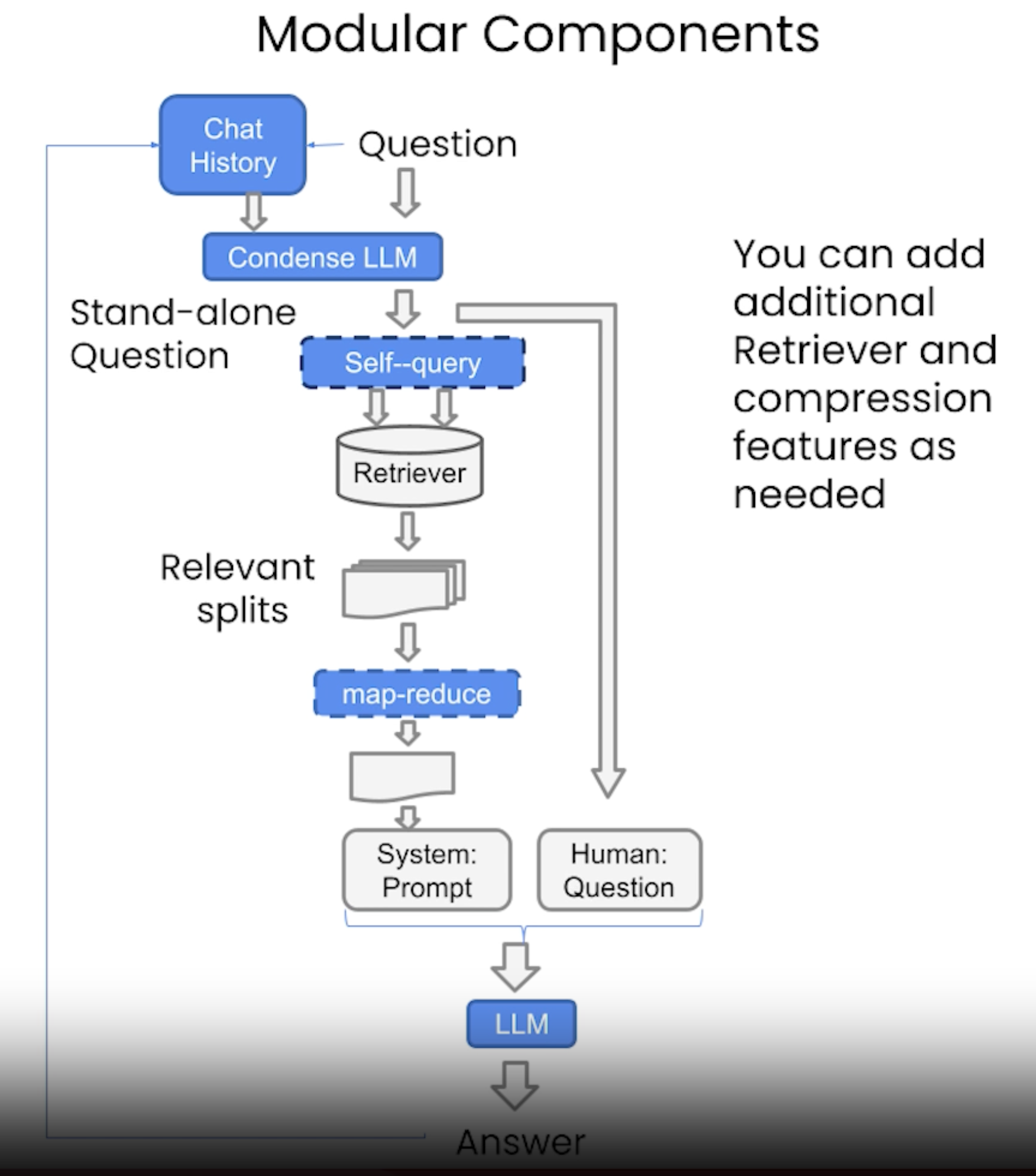
5.3. Additional Tricks: Compression• Another approach for improving the quality of retrieved docs is compression.• Information most relevant to a query may be buried in a document with a lot of irrelevant text.• • Passing that full document through your application can lead to more expensive LLM calls and poorer responses.• • Contextual compression is meant to fix this.
5.4. Other Types of Retrieval• It's worth noting that vectordb as not the only kind of tool to retrieve documents.• The LangChain retriever abstraction includes other ways to retrieve documents, such as TF-IDF or SVM.•
from langchain.retrievers import SVMRetrieverfrom langchain.retrievers import TFIDFRetrieverfrom langchain.document_loaders import PyPDFLoaderfrom langchain.text_splitter import RecursiveCharacterTextSplitter# Load PDFloader = PyPDFLoader("docs/cs229_lectures/MachineLearning-Lecture01.pdf")pages = loader.load()all_page_text=[p.page_content for p in pages]joined_page_text=" ".join(all_page_text)# Splittext_splitter = RecursiveCharacterTextSplitter(chunk_size =1500,chunk_overlap =150)splits = text_splitter.split_text(joined_page_text)# Retrievesvm_retriever = SVMRetriever.from_texts(splits,embedding)tfidf_retriever = TFIDFRetriever.from_texts(splits)question ="What are major topics for this class?"docs_svm=svm_retriever.get_relevant_documents(question)docs_svm[0]question ="what did they say about matlab?"docs_tfidf=tfidf_retriever.get_relevant_documents(question)docs_tfidf[0]
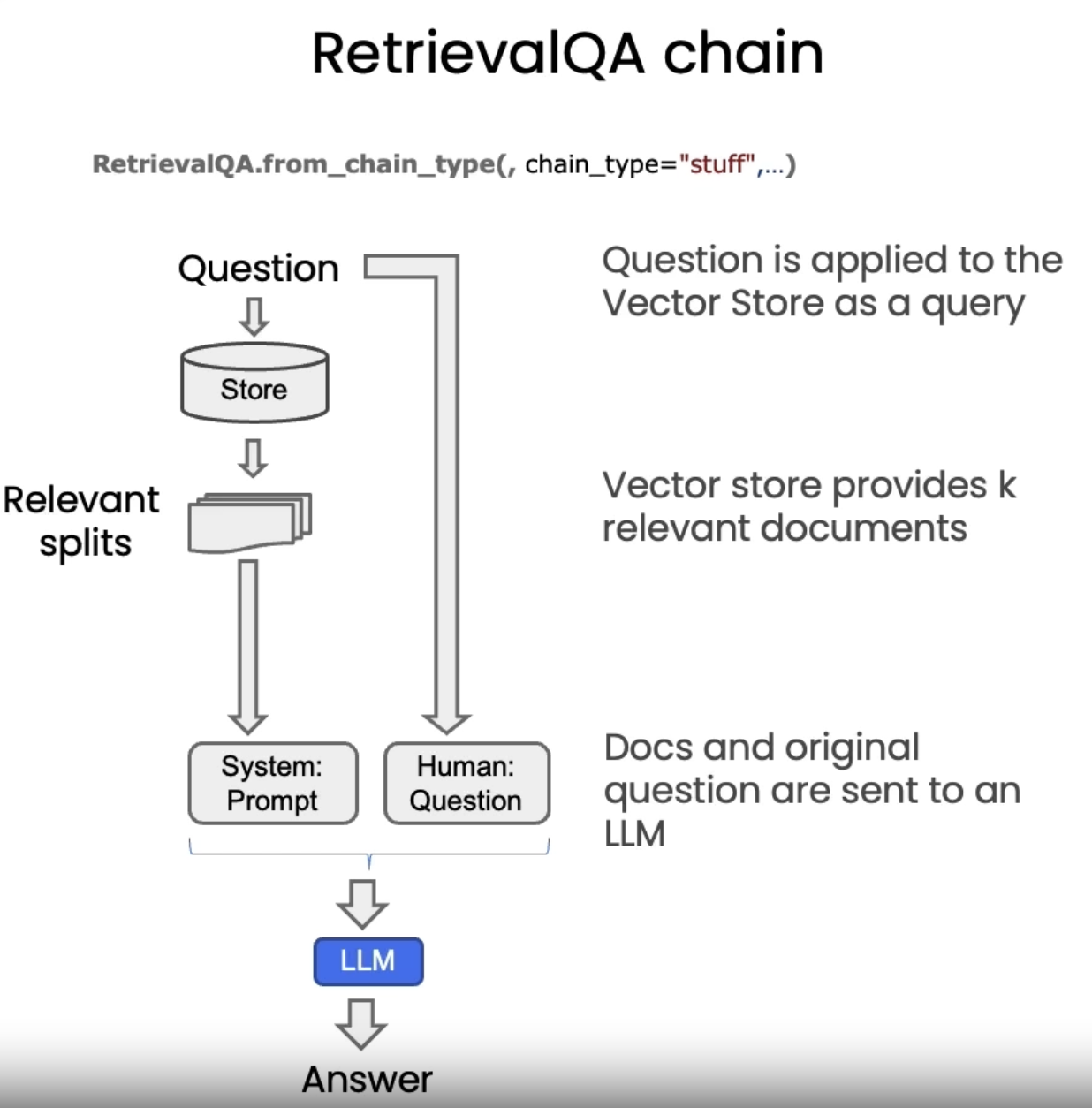
from langchain.chains import RetrievalQAqa_chain = RetrievalQA.from_chain_type( llm, retriever=vectordb.as_retriever())result = qa_chain({"query": question})result["result"]#### promptfrom langchain.prompts import PromptTemplate# Build prompttemplate ="""Use the following pieces of context to answer the question at the end. If you don't know the answer, just say that you don't know, don't try to make up an answer. Use three sentences maximum. Keep the answer as concise as possible. Always say "thanks for asking!" at the end of the answer. {context}Question: {question}Helpful Answer:"""QA_CHAIN_PROMPT = PromptTemplate.from_template(template)# Run chainqa_chain = RetrievalQA.from_chain_type( llm, retriever=vectordb.as_retriever(), return_source_documents=True, chain_type_kwargs={"prompt": QA_CHAIN_PROMPT})question ="Is probability a class topic?"result = qa_chain({"query": question})result["result"]result["source_documents"][0]
6.2. RetrievalQA limitations• QA fails to preserve conversational history.• Note, The LLM response varies. Some responses do include a reference to probability which might be gleaned from referenced documents. The point is simply that the model does not have access to past questions or answers, this will be covered in the next section.
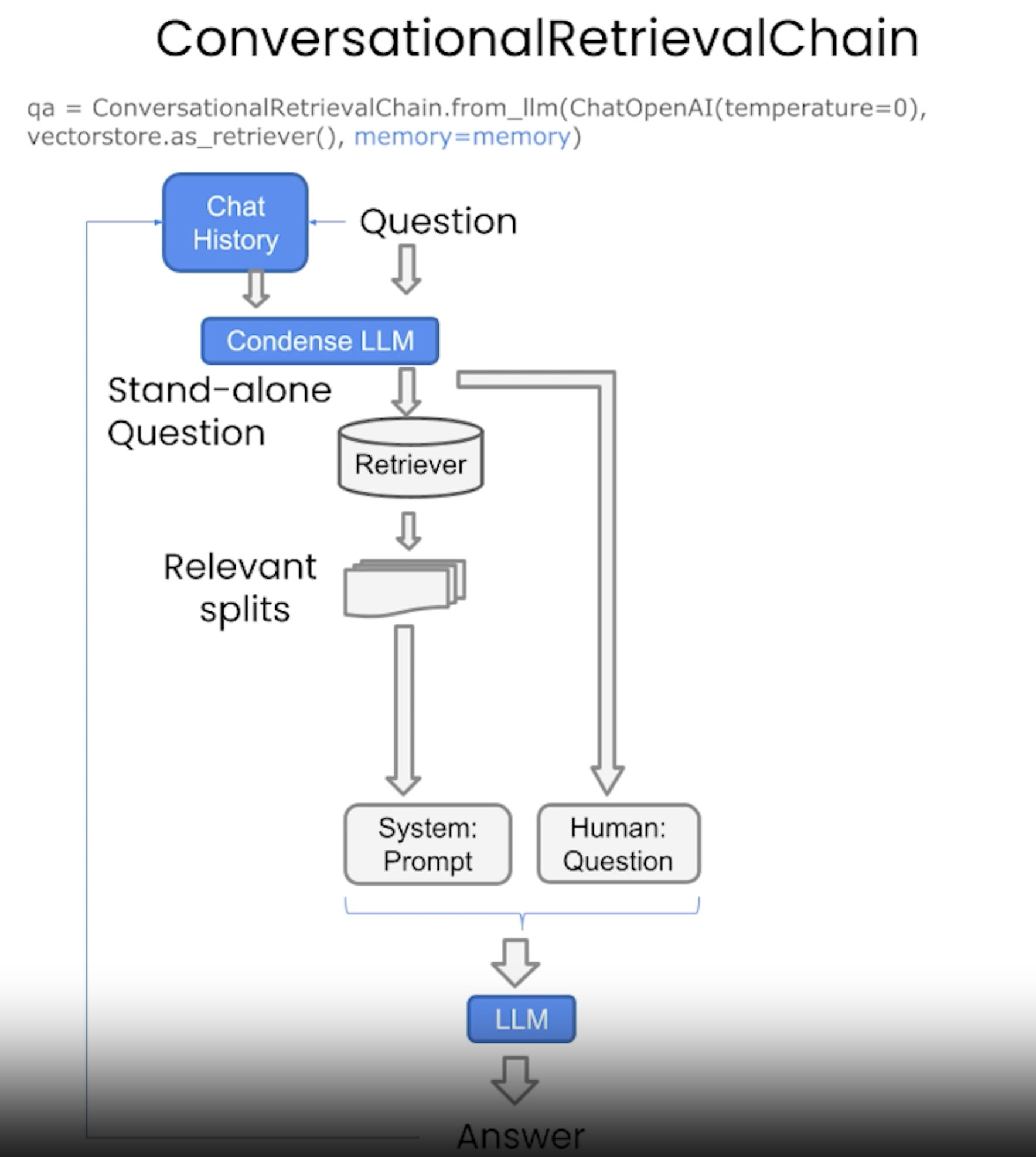
7. ChatSee the codes,Download the Jupyter Notebook• This is very similar to the last section, except that we're going to add memory to the chain to keep the chat history.
• The good thing is that all the cool types of retrievals we talked about in the previous section, we can absolutely use them here.
•
from langchain.memory import ConversationBufferMemorymemory = ConversationBufferMemory( memory_key="chat_history", return_messages=True)from langchain.chains import ConversationalRetrievalChainretriever=vectordb.as_retriever()qa = ConversationalRetrievalChain.from_llm( llm, retriever=retriever, memory=memory)question ="Is probability a class topic?"result = qa({"question": question})result['answer']question ="why are those prerequesites needed?"result = qa({"question": question})result['answer']
8. Final Code for Creating a Chatbot Over Document• Some good sample code here.•