Introduction
Planning is an important topic in AI because intelligent agents are expected to automatically plan their own actions in uncertain domains. Planning and scheduling systems are commonly used in automation and logistics operations, robotics and self-driving cars, and for aerospace applications like the Hubble telescope and NASA Mars rovers.
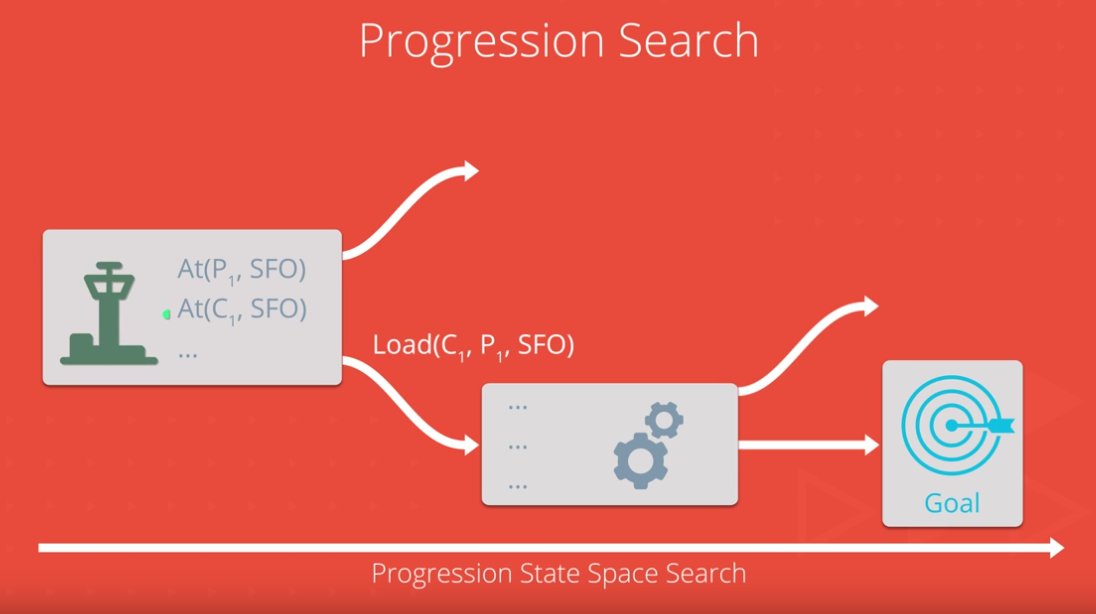
This project is split between implementation and analysis. First you will combine symbolic logic and classical search to implement an agent that performs progression search to solve planning problems. Then you will experiment with different search algorithms and heuristics, and use the results to answer questions about designing planning systems.
Read all of the instructions below and the project rubric here carefully before starting the project so that you understand the requirements for successfully completing the project. Understanding the project requirements will help you avoid repeating parts of the experiment, some of which can have long runtimes.
NOTE: You should read "Artificial Intelligence: A Modern Approach" 3rd edition chapter 10 or 2nd edition Chapter 11 on Planning, available on the AIMA book site before starting this project.
See the Project Enhancements section at the end for additional notes about limitations of the code in this exercise.
Getting Started (Workspaces)
The easiest way to complete the project is to click "next" below to open a Workspace that has already been configured with the required files and libraries to support the project. (NOTE: Workspaces does not currently support pypy3, so your code will run slower than completing the project locally if you install pypy3.)
If you use the Workspace, you do NOT need to perform any of the setup steps outlined below. Skip to the next section with instructions for completing the project.
NOTE: Workspace sessions will time out if there is no detected user activity for a period of time (about half an hour). You can lose progress if your session terminates due to timeout while an experiment is running. (Using the mouse to interact in the Workspace window periodically should keep the connection alive.)
Getting Started (Local Environment)
If you would prefer to complete the exercise in your own local environment, then follow the steps below:
NOTE: You are strongly encouraged to install pypy 3.5 (download here) for this project. Pypy is an alternative to the standard cPython runtime that tries to optimize and selectively compile your code for improved speed, and it can run 2-10x faster for this project. There are binaries available for Linux, Windows, and OS X. Simply download and run the appropriate pypy binary installer (make sure you get version 3.5) or use the package manager for your OS. When properly installed, any python commands can be run with pypy instead. (You may need to specify pypy3 on some OSes.)
- Activate the aind environment (OS X or Unix/Linux users use the command shown; Windows users only run
activate aind)
$ source activate aind
Instructions
- Start by running the example problem (this example implements the "have cake" problem from Fig 10.7 of AIMA 3rd edition). The script will print information about the problem domain and solve it with several different search algorithms, however these algorithms cannot solve larger, more complex problems so next you'll have to implement a few more sophisticated heuristics.
$ python example_have_cake.py
- Open
my_planning_graph.pyand complete the TODO sections. Documentation for the planning graph classes is provided in the docstrings and examples here. Refer to the heuristics pseudocode here, chapter 10 of AIMA 3rd edition or chapter 11 of AIMA 2nd edition (available on the AIMA book site) and the detailed instructions inline with each TODO statement for help. You should implement the following functions:
ActionLayer._inconsistent_effectsActionLayer._interferenceActionLayer._competing_needsLiteralLayer._inconsistent_supportLiteralLayer._negationPlanningGraph.h_levelsumPlanningGraph.h_maxlevelPlanningGraph.h_setlevel
After you complete each function, test your solution by running python -m unittest -v. YOU SHOULD PASS EACH TEST CASE IN ORDER. Some of the later test cases depend on correctly implementing the earlier functions, so working on the test cases out of order will be more difficult.
- Experiment with different search algorithms using the
run_search.pyscript. (See example usage below.) The goal of your experiment is to understand the tradeoffs in speed, optimality, and complexity of progression search as problem size increases. You will record your results in a report (described below in Report Requirements).
- Run the search experiment manually (you will be prompted to select problems & search algorithms)
$ python run_search.py -m
- You can also run specific problems & search algorithms - e.g., to run breadth first search and UCS on problems 1 and 2:
$ python run_search.py -p 1 2 -s 1 2
Experiment with the planning algorithms
The run_search.py script allows you to choose any combination of eleven search algorithms (three uninformed and eight with heuristics) on four air cargo problems. The cargo problem instances have different numbers of airplanes, cargo items, and airports that increase the complexity of the domains.
-
You should run all of the search algorithms on the first two problems and record the following information for each combination:
- number of actions in the domain
- number of new node expansions
- time to complete the plan search
-
Use the results from the first two problems to determine whether any of the uninformed search algorithms should be excluded for problems 3 and 4. You must run at least one uninformed search, two heuristics with greedy best first search, and two heuristics with A* on problems 3 and 4.
Report Requirements
Your submission for review must include a report named "report.pdf" that includes all of the figures (charts or tables) and written responses to the questions below. You may plot multiple results for the same topic on the same chart or use multiple charts. (Hint: you may see more detail by using log space for one or more dimensions of these charts.)
- Use a table or chart to analyze the number of nodes expanded against number of actions in the domain
- Use a table or chart to analyze the search time against the number of actions in the domain
- Use a table or chart to analyze the length of the plans returned by each algorithm on all search problems
Use your results to answer the following questions:
-
Which algorithm or algorithms would be most appropriate for planning in a very restricted domain (i.e., one that has only a few actions) and needs to operate in real time?
-
Which algorithm or algorithms would be most appropriate for planning in very large domains (e.g., planning delivery routes for all UPS drivers in the U.S. on a given day)
-
Which algorithm or algorithms would be most appropriate for planning problems where it is important to find only optimal plans?
Evaluation
Your project will be reviewed by a Udacity reviewer against the project rubric here. Review this rubric thoroughly, and self-evaluate your project before submission. All criteria found in the rubric must meet specifications for you to pass.
Submission
Before you can submit your project for review in the classroom, you must run the remote test suite & generate a zip archive of the required project files. Submit the archive in your classroom for review. (See notes on submissions below for more details.) From your terminal, run the command: (make sure to activate the aind conda environment if you're running the project in your local environment; workspace users do not need to activate an environment.)
$ udacity submit
The script will automatically create a zip archive of the required files (my_planning_graph.py and report.pdf) and submit your code to a remote server for testing. You can only submit a zip archive created by the PA script (even if you're only submitting a partial solution), and you must submit the exact zip file created by the Project Assistant in your classroom for review. The classroom verifies the zip file submitted against records on the Project Assistant system; any changes in the file will cause your submission to be rejected.
NOTE: Students who authenticate with Facebook or Google accounts must follow the instructions on the FAQ page here to obtain an authentication token. (The Workspace already includes instructions for obtaining and configuring your token.)
(Optional) Project Enhancements
You will find in this project that even trivial planning problems become intractable for domain-independent planning. (The search space for planning problems grows exponentially with problem size.) However, this code can be used as a basis to explore automated planning more deeply by incorporating optimizations or additional planning algorithms (like GraphPlan) to create a more robust planner.
-
Static code optimizations
- Several optimizations have been omitted for simplicity. For example, the
Exprclass used for symbolic representations of the actions and literals is very slow (the time to do basic operations like negating an object can be 1000x slower than more optimal representations). And the inconsistent effects, interference, and negation mutexes are static for a given problem domain; they do not need to be checked each time a layer is added to the planning graph.
- Several optimizations have been omitted for simplicity. For example, the
-
Optimize the planning graph implementaion (ref. section 6 Planning graph as the basis for deriving heuristics
for plan synthesis by state space and CSP search)- One way to implement a much faster planning graph uses a bi-level structure to reduce construction time and memory consumption. The complete list of states and complete list of actions are known when the planning graph instance is created (they're static), and the set of static mutexes is also fixed. A single list can be used to track the first layer at which each literal or action enter the planning graph (they will remain in the graph in all future layers), and a single list can be used to track when mutexes first leave the graph (they will remain out of the graph in all future layers).
-
Use a different language
- Python is slow. Using a faster language can deliver a few orders of magnitude faster performance, which can make non-trivial problem domains feasible. The planning graph is particularly inefficient, in part due to idiosyncrasies of Python with an implementation designed for clarity rather than performance. The Europa planner from NASA should be much faster.
-
Build your own problems
- The air cargo domain problems implemented for you were chosen to represent various changes in complexity. There are many other problems that you could implement on your own. For example, the block world problem and spare tire problem in the AIMA textbook. You can also find examples online of planning domain problems. Implement one or more problems beyond the air cargo domain and see how your planner works in those domains.
Additional Search Topics
-
Regression search with GraphPlan (ref. GraphPlan in the AIMA pseudocode). Regression search can be very fast in some problem domains, but progression search has been more popular in recent years because it is more easily extended to real-world problems, for example to support resource constraints (like planning for battery recharging in mobile robots).
-
Progression search with Monte Carlo Tree Search (e.g., "Using Monte Carlo Tree Search to Solve Planning Problems in Transportation Domains")