1. Data Processing1.1. Basic Example• Let's say we wanted to predict whether or not someone would cancel their subscription.• Let's say that the search functionality that we have on our Flask app, ?, is behind a particular paywall.– For instance, Netflix requires that you have a subscription to use their app, and that search functionality within their app is embedded behind that paywall → Let's say that our app is similar → we have a home page that may/may not have recommendations on it and then there's a search functionality as well where you can search for some particular content.• With this set up, now we have all these messages from our clickstream logs indicating what did people search or what did they click on → our next job is to aggregate these different clickstream records in order to create features for our model which will predict whether or not users will cancel.• Message Processing– Aggregation– Join– Transformation• To start, this aggregation would involve counting number of searches per user.– Why this is a useful feature? If we see someone is searching a lot, then we're able to see that this person is using the product a lot. If users are not searching as much, this could indicate that they may soon cancel → This is our hypothesis → At least we need to build features in the model to determine if our hypothesis is correct.– We'll aggregate how many searches each user does and then we'll combine that from different clickstream events (e.g. recommendations user interacted with).• We may want to perform some sort of transformation on the records/messages that are present in our HDFS layer.– For example, nth month of year instead of date.• • How do we plan on processing (message processing) these data?– One idea is that we could just have a compute resource → We'll send these messages to some processor (to process it, i.e. apply transformation) → Then we send the processed message back to the data node → We get another message to be processed.– There's a problem with this approach.* Let's say that we get about 50,000 requests per second to our clickstream.* So, our HDFS will incur 50,000 new records every second.* Let's say we want to train a model on three months worth of that data.* That would take about 4 hours just to transport all of that data to the processor.* When it gets to the processor, we have to process the messages.* If we assume that every message can be processed in 10 nano seconds, then even with two cores, it will take 45 minutes of processing.* The whole process will take about 10 hours just to analyze the last three months of data.– How do we fix this?* One idea is to use a cluster of computes. The problem with that is we won't know which processor is doing which process, and at what stage of processing they are. Also, we can't parallelize the transformation and the join → because transformation has to be done before the join.2. Main Requirements• Requirements– A cluster resource management (CPU, RAM)– Computational dependency management (locality)– Manage saving final results to HDFS– Bonus: Share same HDFS cluster3. Apache YARN: Managing Resources• YARN → Yet Another Resource Negotiator• • YARN has a few components:– Resource Manager(per cluster)* Scheduler → It's a sub-component of Resource Manager → allocates cluster resources to whatever applications need it.* Application Manager (AM) → Accepts jobs to be run on a particular cluster.– Node Manager (per node) → It negotiates with the Resource Manager for resources requested by an Application Master.* It also reports resource usage to the Resource Manager such that the Resource Manager knows whether or not to assign more work to that particular node.* Application Master → It negotiates with the Scheduler and the Resource Manager for more containers or more compute powers.* Containers → They're just an abstraction representing some RAM, CPU or disk.Resource ManagerNode ManagerNode ManagerAMcontainercontainersubmit a job1start a container (AM)2request resource3start container44Userget status5de-register6cleanupcleanup77Apache YARN: sequence of processes• What does Apache YARN do for us?– When we group many nodes together, we can think of their CPU, or RAM as being one of a giant computer, and YARN will help manage the resources such that we can assign multiple instances of work to that cluster.4. Apache Spark: Locality• Unfortunately, we still didn't gain computational dependency management.– Basically, what we want is the ability to write code in one place and have some tool/software organize those instructions to be highly optimized and parallelized when possible. – Effectively, we want the user to be able to consider the entire cluster to be a single computer → such that they don't have to write any specialized code to be run across the cluster.• Apache Spark's components:– Driver* Converts the user's code to a set of tasks. Task → is the smallest unit of work that Spark recognizes. * Schedules these units of tasks across different Executors. Executors execute the codes.* Effectively, the Driver makes sure that the submitted code is optimized to be run in a distributed cluster.* It does that by compiling the code into RDD DAG.* RDD → Resilient, Distributed Dataset → unit of data* DAG → Directed Acyclic Graph → Schedules the task with DAG Scheduler (stages)· DAG Scheduler makes sure that each step are run in the proper order.* Each stage has a series of tasks associated with that stage → That's done by the Task Scheduler.* After the Driver creates the tasks and DAG Schedulers (stages), it will distribute these tasks out to Executors which return to the Driver the results of that DAG.– Cluster Manager* Spark's cluster manager is YARN. * It uses YARN to schedule jobs submitted to the cluster.– Executor* It runs the task and returns the result to the Driver.• How does Apache Spark fit into Apache YARN?– The Driver is mapped to the Application Master.– The Executors are just inside the containers.Resource ManagerNode ManagerAM/Drivercontainer/ExecutorNode Managercontainer/ExecutorApache Spark on YARN• Note: Since both YARN and Spark are on HDFS cluster, so that we don't have to move data to anywhere else → It can be all done locally on the same cluster.• Now, with these tools, we can check all the requirement boxes (?):–
Cluster resource management (CPU, RAM)–
Computational dependency management (locality)–
Manage saving final results to HDFS–
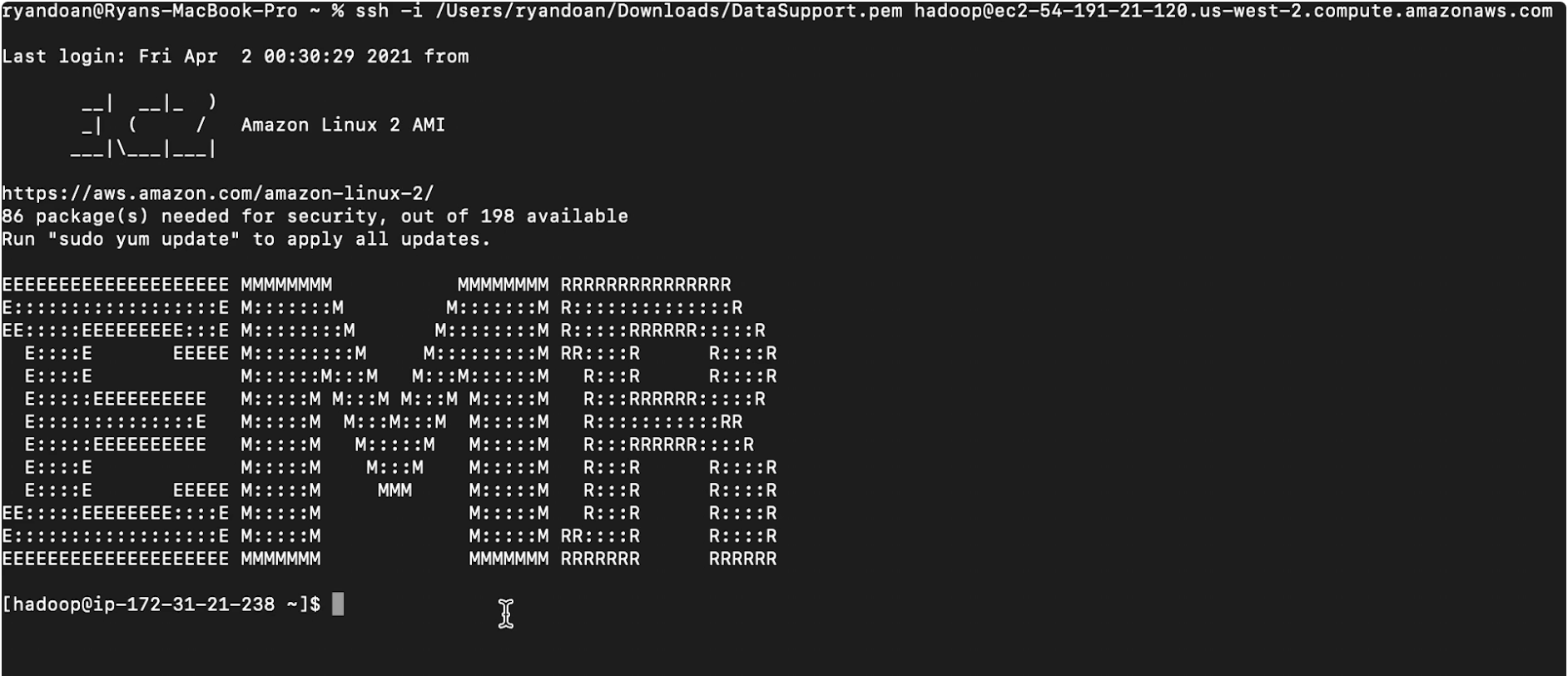
Bonus: Share same HDFS cluster4.1. Availability• As always, we have to think in terms of high availability and fault tolerance.• The single point of failure is the Resource Manager.– We'd like some Zookeeper instance running which will keep track of an active/passive Resource Manager, and the passive Resource Manager can be set into a hot standby mode.4.2. Example4.3. On Hadoop cluster• First, we SSH into the name node of the HDFS cluster.– Here, we used Elastic MapReduce (EMR) to set up this cluster.
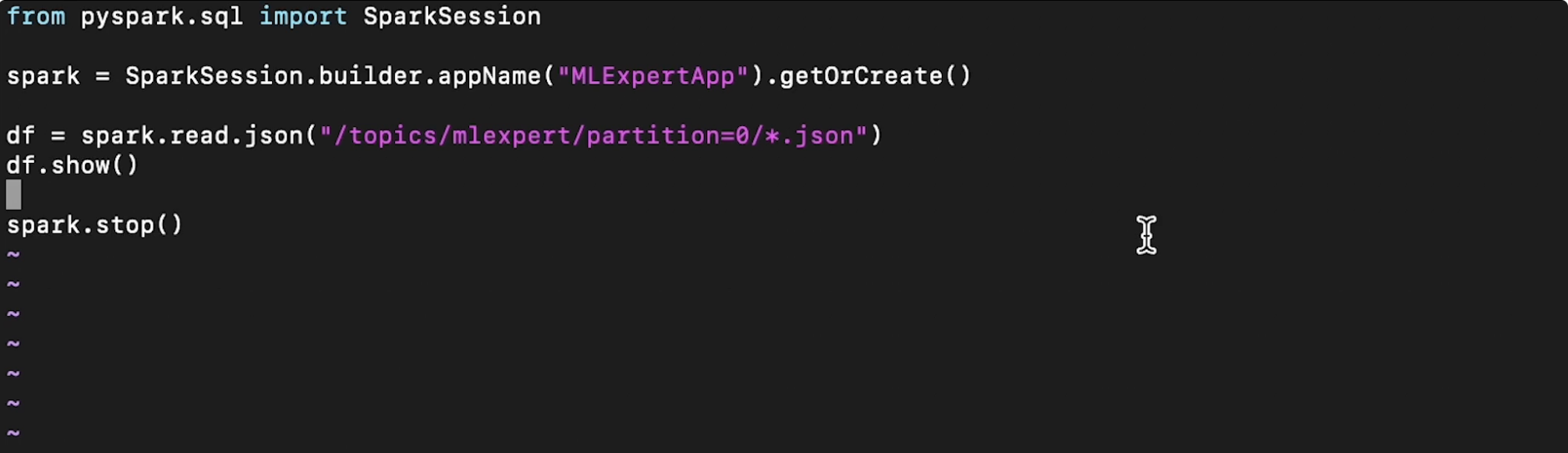
• Now, we want to run some Spark code on our Hadoop cluster. Here's a simple code (in pySpark) that we wish to run.
• Note: If you're more familiar with SQL, you can write SQL-like codes using Spark's SQLContext.
from pyspark.sql import SQLContextsqlContext = SQLContext(sc)df.registerTempTable("df")sqlContext.sql("SELECT COUNT(DISTINCT user_id) FROM df").show()
• We can run this file by running this command (spark-submit command already exist in the Hadoop cluster):
/bin/./spark-submit pyspark_example.py
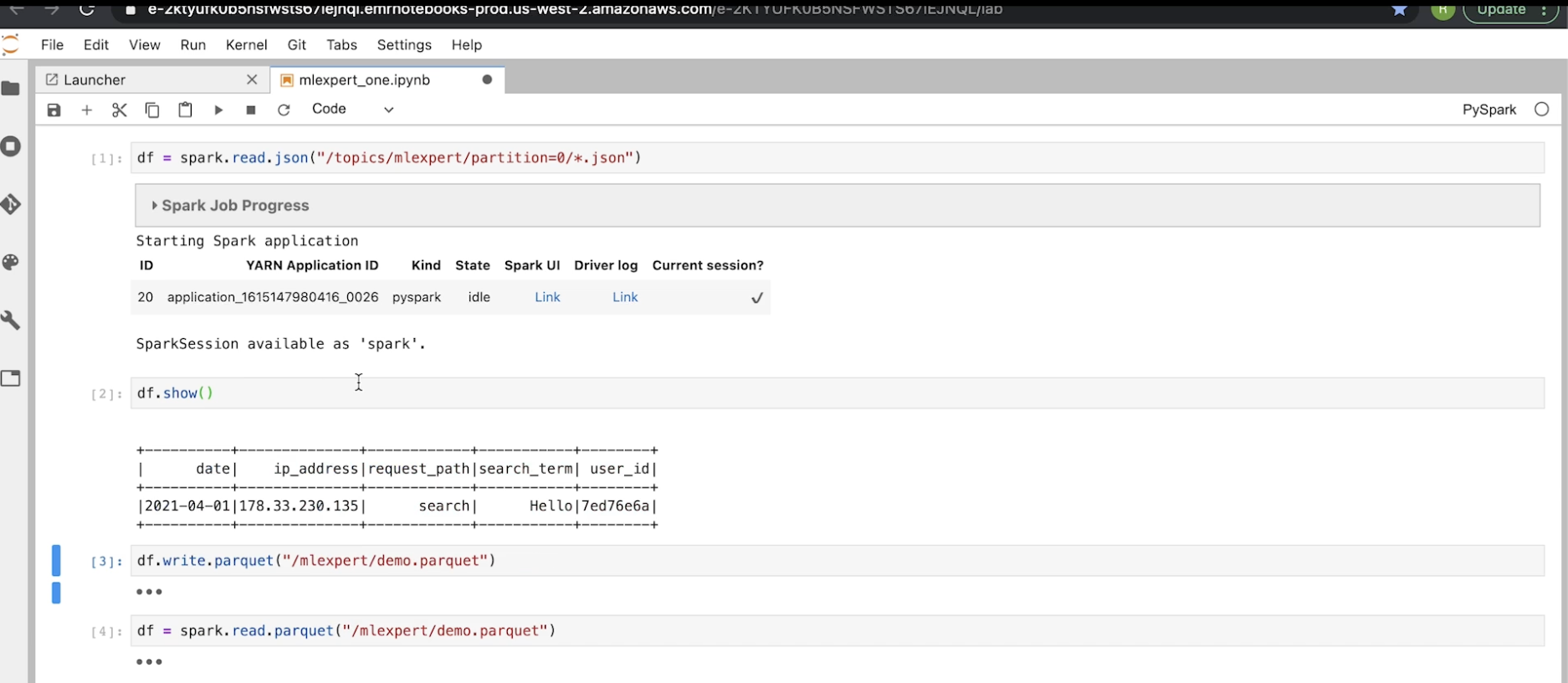
• Note: The problem with the terminal UI is that it's hard to be interactive with it → We could use the pySpark interactive interpreter. We just run the pyspark command in the command line → This will spin up a little instance where we can write and run (line by line, like in IPython) Spark codes in.– The interpreter sets up the SparkSession automatically → so, we don't need to initialize it.4.4. On Jupyter notebook• We could also use Jupyter Notebooks to run spark codes. – It allows us to initialize a pySpark session in the same way that we did when we SSH'd into the name node of the Hadoop cluster.– Here, the notebook is running on a separate instance outside of the cluster and it's allowing us to contact the cluster in order to submit jobs to it.– The glue between the machine that runs the notebook and the cluster is called Livy. It provides an API to submit Spark jobs outside of the cluster itself.– Like the Spark interpreter, the notebook also initialize a Spark session automatically.–
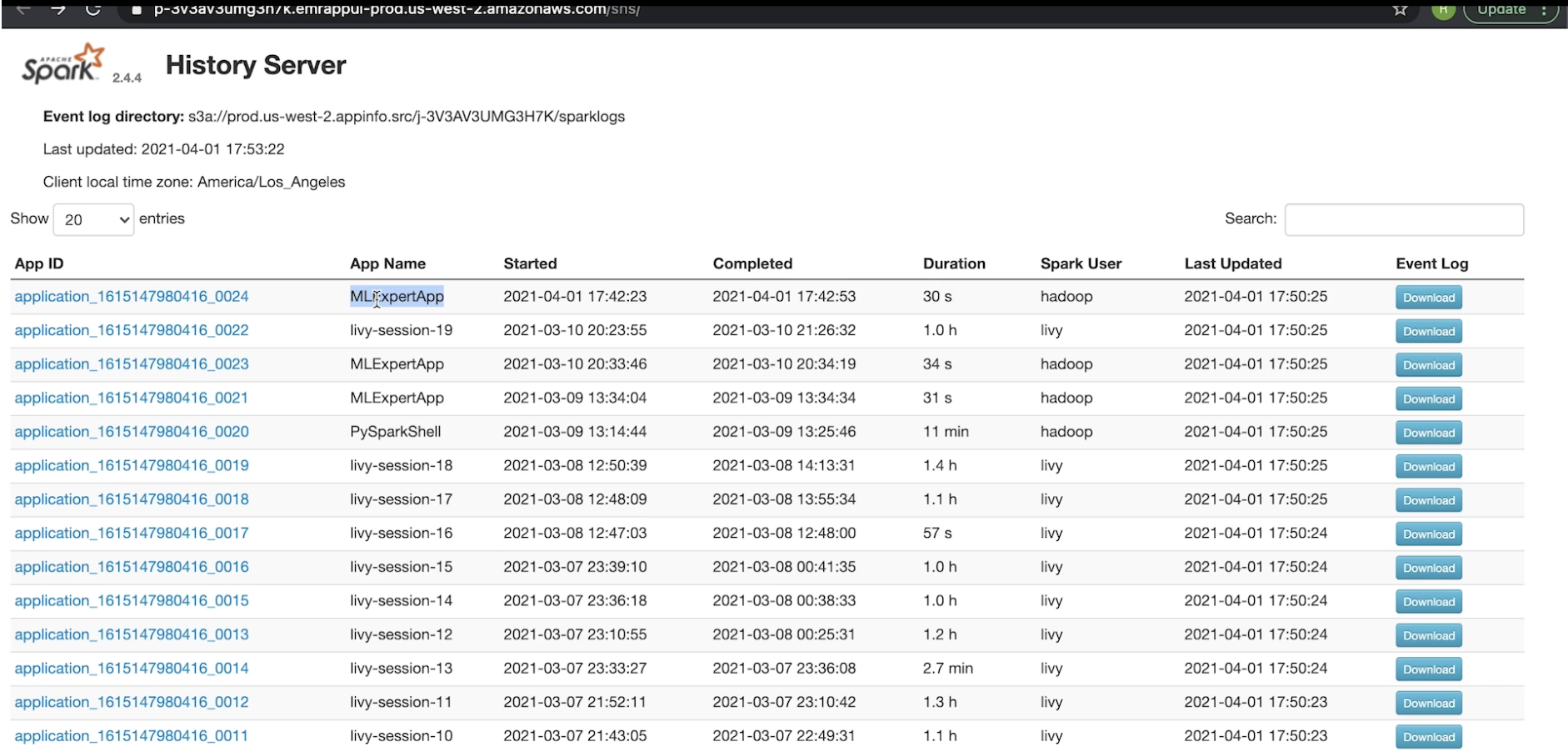
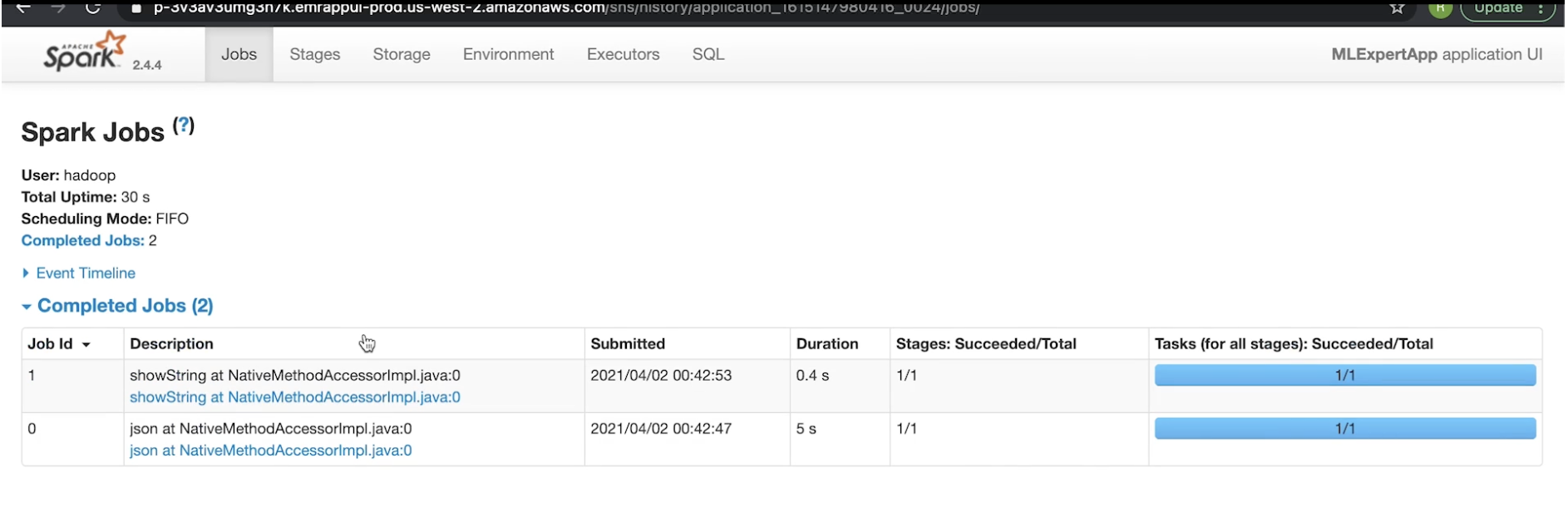
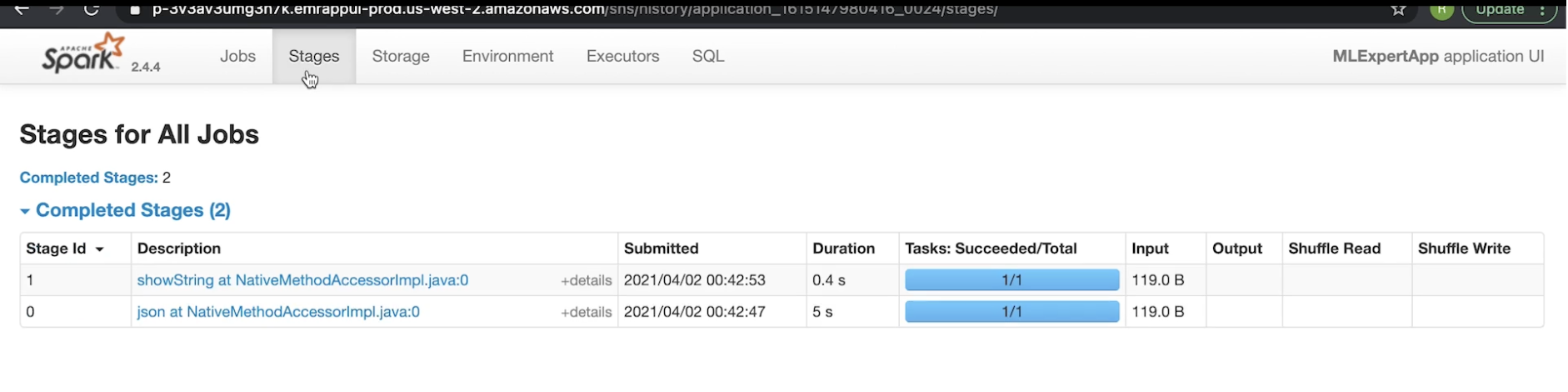
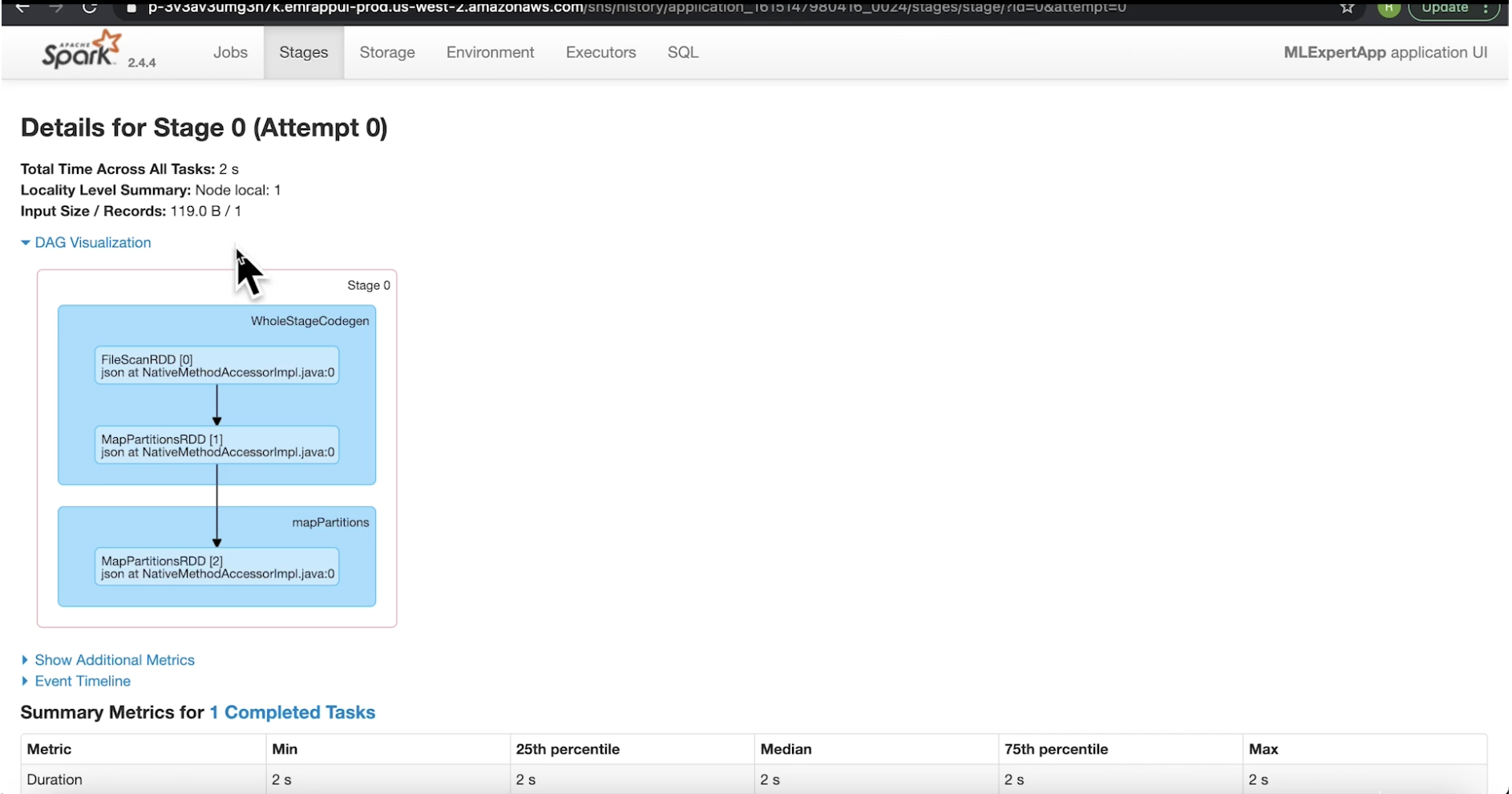
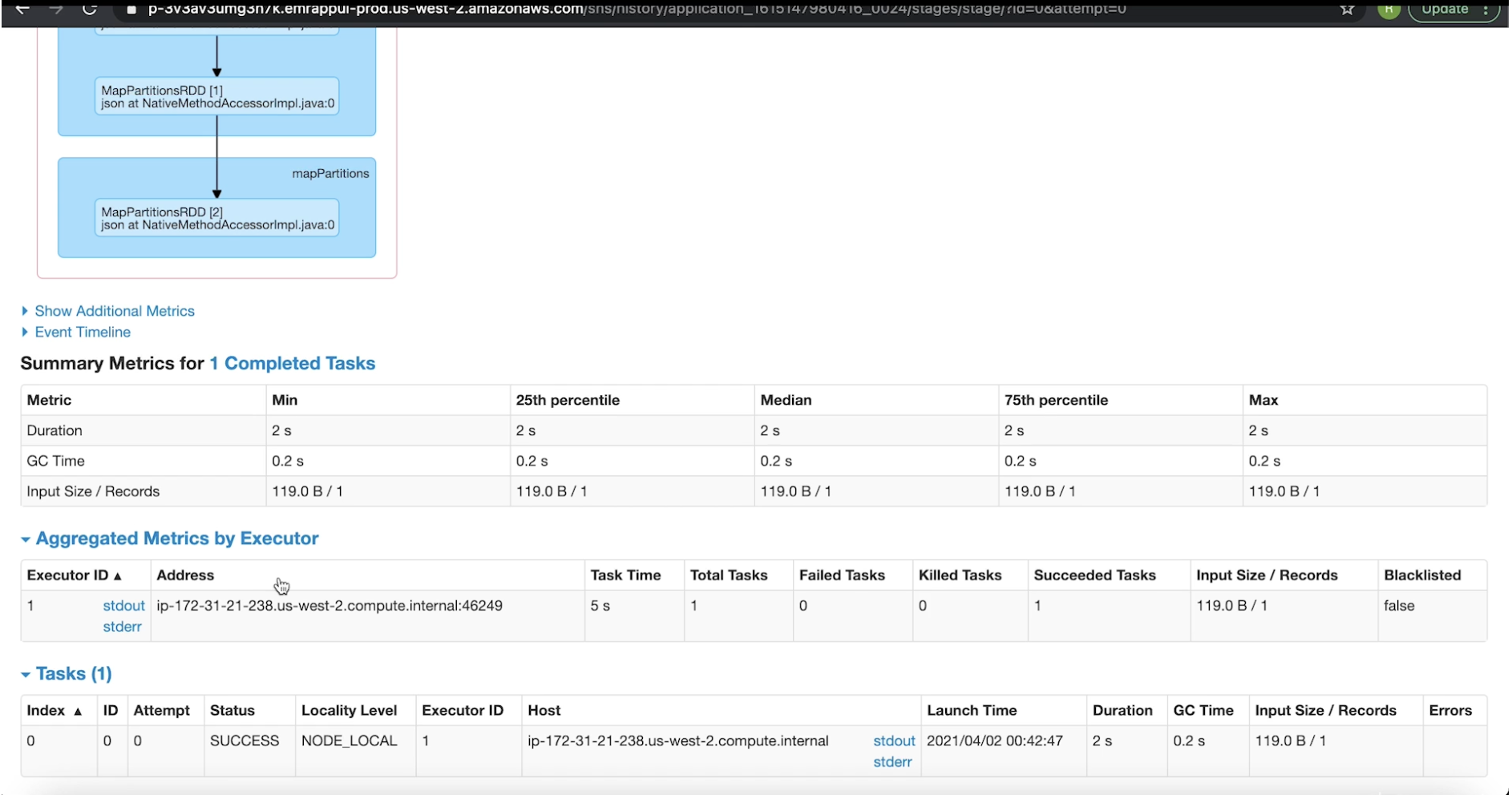
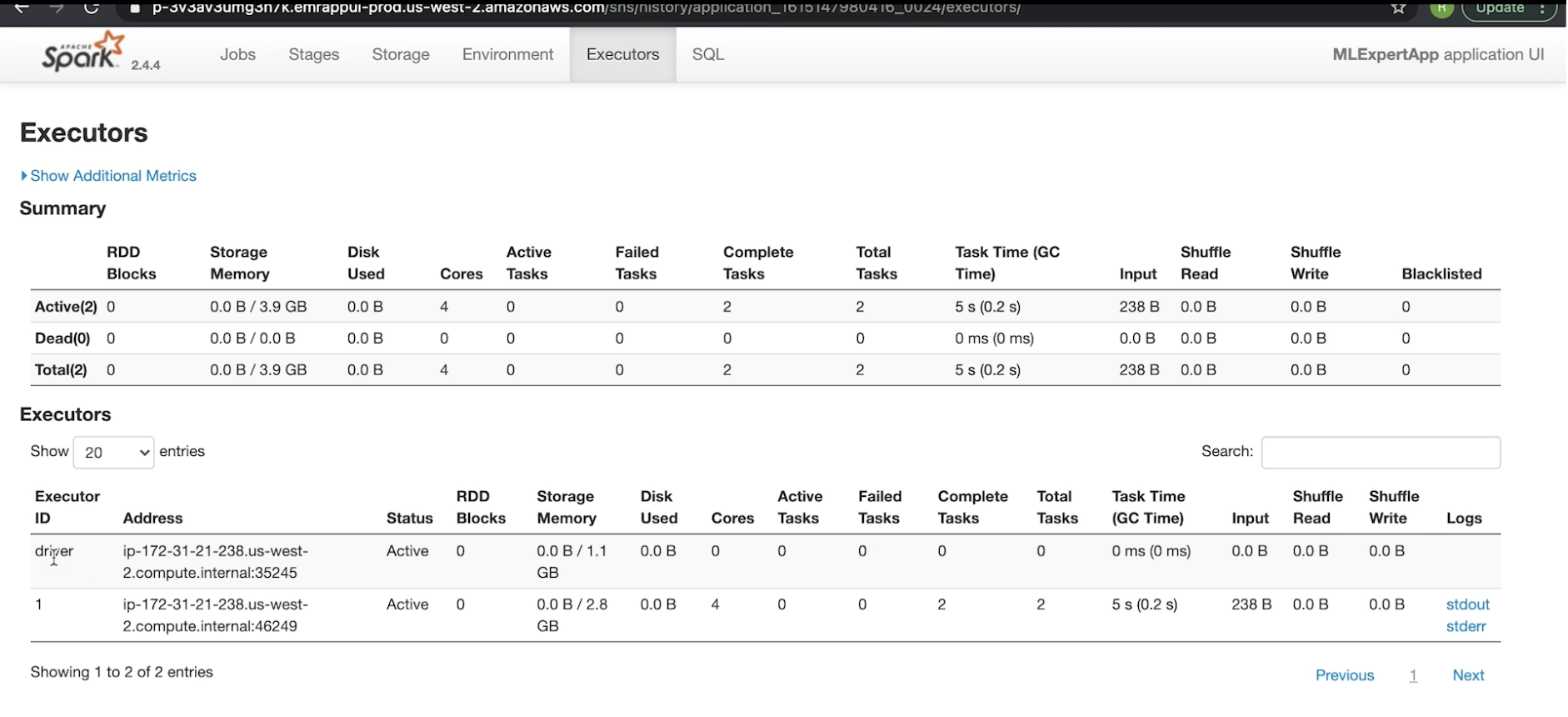
4.5. Spark History Server• Spark History Server lists all the Spark apps with each app gets their own ID.• When you click on each app, it'll show the completed jobs (under that particular instance).• We can also look at the stages associated with that job → We can also see the DAG visualization and many more things (see figures below).