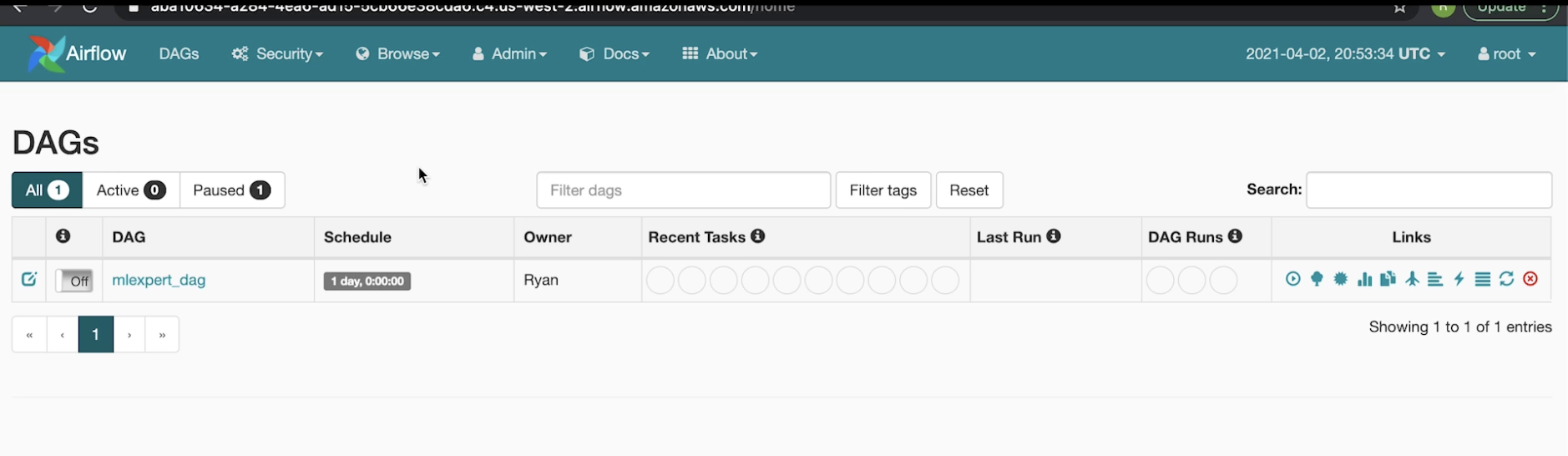
1. Processing Orchestration• The processes we discussed in previous sections, generally, we don't want to do them only one time → For instance, we may have to repeat them every 24 hrs.• The problem is that we don't want to run all different jobs manually every time.– It'd also be nice to handle data dependencies automatically as well. * Whatever that should happen serially, happens in order and whatever that be done at the same time, get done in parallel.– Finally, we want to be able to scale up → i.e. managing potentially thousands of scheduled jobs.2. Apache Airflow• We're going to use Apache Airflow to solve all the problems mentioned above.• Airflow uses the concept of DAG to manage jobs.get_data_Aget_data_Bjoin_A_Bget_data_Cjoin_A_B_C2.1. Apache Airflow: Web Server• In order to show all of these DAGs and the previous runs of DAGs, Airflow offers a web server.• It's actually a Flask app that let users to trigger DAGs.• It also allows to browse DAG history (stored in DB).2.1.1. Apache Airflow: Scheduler• The scheduler:– Monitors DBs to check task states– Fetch DAGs from DAG store– Send DAG to execution queue– Writes DAG runs into DB for history2.1.2. Apache Airflow: Worker• The Worker:– Pulls the task queue– Runs the tasks– Stores task state to the DB (so the Scheduler is aware of its progress).3. Airflow ProcesswebserverschedulerqueueDAG storeApache Airflow1. user triggers DAG2. fetch the DAGtypically a S3, or some distributed file store3. schedule the DAGworkerworkerworker4. enqueue tasks (in parallel/serial)5. get tasks6. do the tasksPostgreSQL8. check (periodically) if task compeletedThis allows the scheduler to know when a task is completed so that it can schedule the subsequenct tasks that had dependencies.7. task completedIf task completed then it schedules more tasksOnce all the tasks are completed, scheduler adds DAGs' history to the DB9. Add DAG history10. pull DAG status11. DAG is completed4. Airflow technologies• The workers are implemented through a Celery worker. Celery ensures that if one of the workers goes offline (such as the host itself going down or host losing network connection), Celery will quickly adapt and assign tasks to other new workers to come and take its place.• The queue is typically fronted by Rabbit MQ. It supports a cluster of queues so that we can scale up the number of queues if the scheduler has a very high load to be scheduled and it allows the queue to have a high availability. • The scheduler is typically the single point of failure for Airflow. – In older versions, we would need an active/passive hot standby situation.– In more recent versions, they support concurrency amongst the schedulers → This means that you can have many schedulers running at the same time. It'll ensure that tasks don't get scheduled twice by mistake. • For database, we need to have an active/passive hot standby as well.• DAG store is typically in a distributed file store (e.g. S3). • The webserver is typically going to consist of multiple instances behind some load balancers, such that if a single instance goes down, we can still schedule and view our DAGs because there's more than one host.5. Airflow in action• This is the Airflow webserver UI:
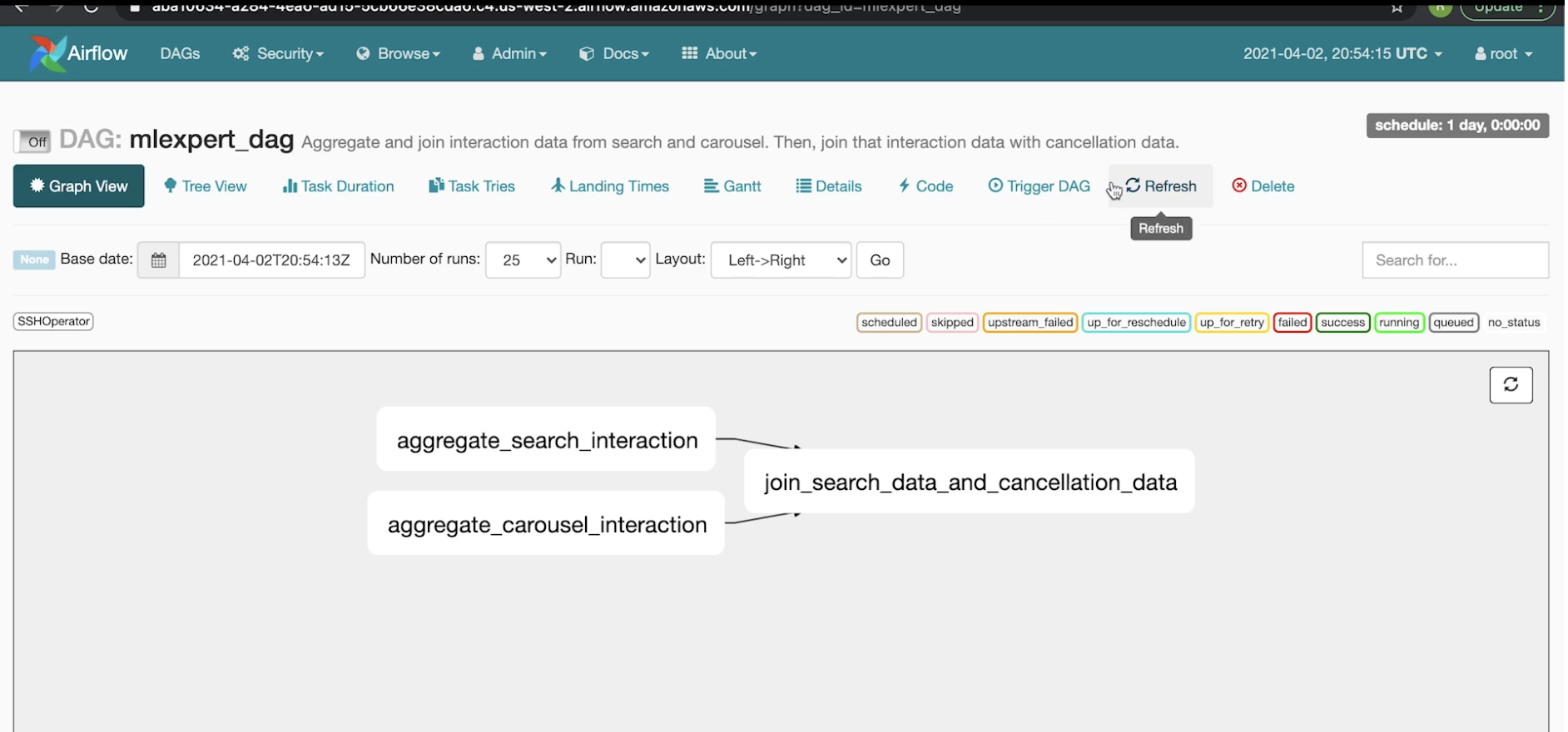
• In this example, it shows that an instance (mlexpert_dag) is already running.– This means that there is an S3 (if on AWS) bucket with mlexpert_dag's file in it.• Both AWS and Google offer a fully managed Airflow service.• If we click on mlexpert_dag, we can see the DAG:
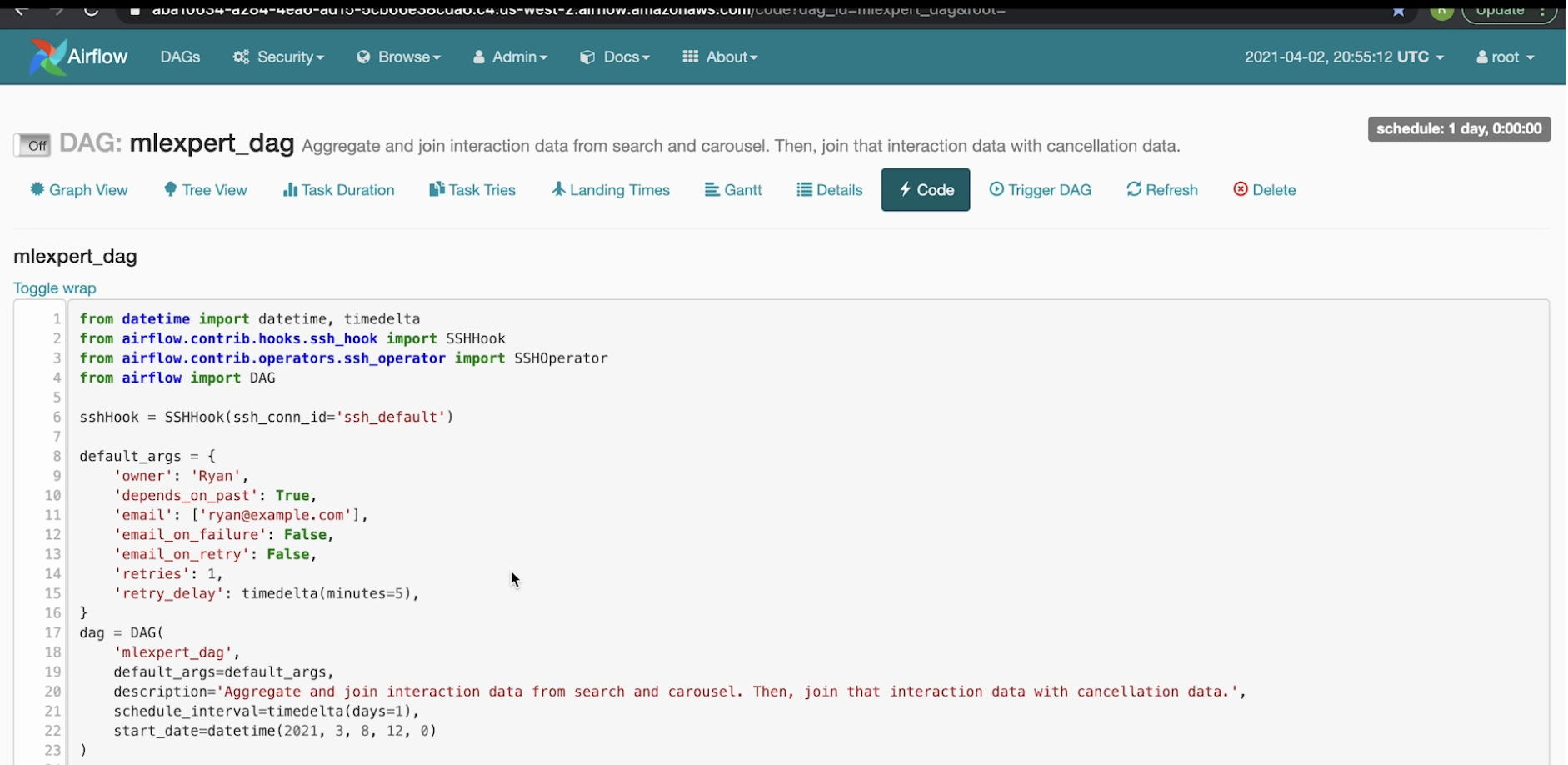
• If you go the code tab, it'll pull up the exact code that's backing this DAG:
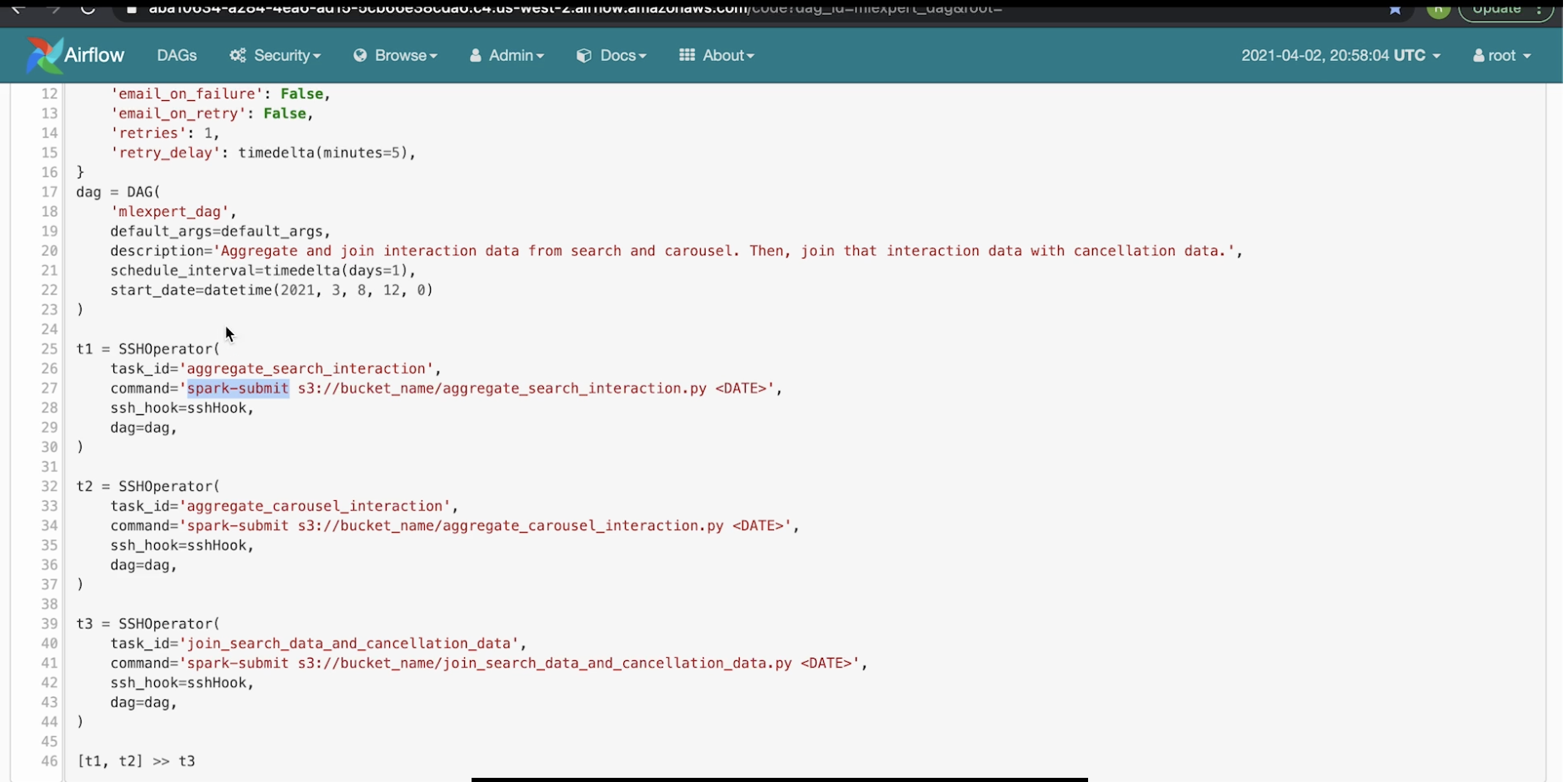
• Note: The DAG is imported from the airflow library. The lines 17-23 shows how to define a DAG.• The next lines (25-44), shows how we can add tasks through SSHOperator to the DAG.
• Note: The worker t1 would execute the commend argument "spark-submit s3://bucket_name/aggregate_search_interaction.py <DATE>" in the worker of the Airflow instance that we have. – The worker would send to the name node of the Hadoop cluster. The name node of the Hadoop cluster would be the one to actually run this file (the *.py file) itself.• Line 46 shows how we can arrange the tasks. – In this case, it says that task 1, 2 can be done in parallel, and once they're done task 3 can be run.– We can see the graph representation of it in the Graph View tab.Back to Top